Best OCR Software for Invoice Processing in 2026
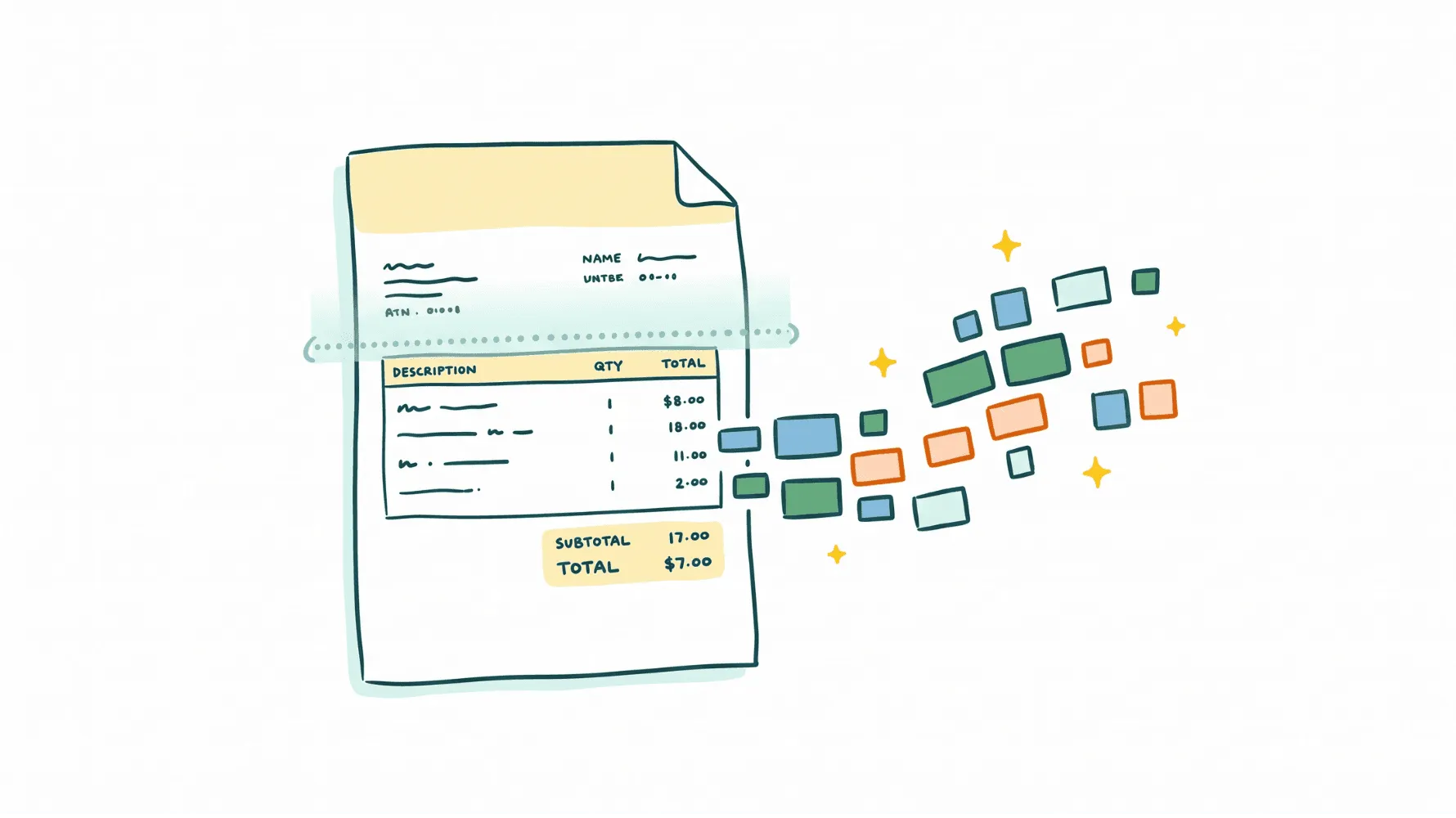
Every accounts payable team eventually hits the same wall. Invoices arrive in different formats, from different channels, in different layouts. Someone has to open each one, read the vendor name, the amount, the due date, the line items, and manually key all of it into the accounting system. Multiply that by dozens or hundreds of invoices per month and you are basically looking at a full-time copy-paste job.
OCR software for invoice processing is supposed to fix that. OCR (optical character recognition) reads invoice documents and extracts structured data automatically. The best OCR software for invoice processing goes further than basic text recognition, though. It understands invoice layouts, pulls line-item details, validates data, and routes everything into your accounting platform.
I'm Amalia Bercot, Co-Founder of Sanso. We built Sanso because we kept seeing how much time and money small businesses burn on manual finance operations, and how most tools still leave you doing way too much of the work yourself. In this guide, I will walk through the best OCR software for invoice processing in 2026, what to look for, and which approach actually makes sense depending on your situation.
Tired of babysitting AP software?
Sanso is a done-for-you invoice processing service that captures, validates, and routes invoices to your accounting platform so your team never touches them.
Book a CallWhat OCR Software for Invoice Processing Actually Does
Invoice OCR software scans invoices (PDFs, scanned images, email attachments) and extracts data fields like vendor name, invoice number, date, total amount, line items, tax, and payment terms. That extracted data then gets sent to your accounting platform or ERP.
Modern invoice OCR tools use AI and machine learning on top of basic character recognition. They can handle invoices with different layouts, languages, and formats without needing a custom template for every vendor. The best tools can often approach 95 to 99 percent accuracy on standard invoices.
But the gap between good and bad OCR software is not really about raw text recognition anymore. Nearly every tool on the market can read a clean PDF. The real difference comes down to what happens after the text is extracted:
- Does it classify the document correctly (invoice vs. quote vs. receipt)?
- Does it pull line-item details, not just header fields?
- Does it flag duplicates, mismatched amounts, or missing PO numbers?
- Does it integrate with QuickBooks, Xero, or whatever system you already use?
- Does someone still have to babysit it, or does it actually run on its own?
Those questions matter more than the OCR engine itself.
What to Look for in Invoice OCR Software
Before getting into the specific tools, these are the features that actually separate the best OCR software for invoice processing from the rest:
Extraction accuracy on real-world invoices. Demo accuracy on clean, born-digital PDFs is one thing. Performance on scanned invoices, faxed documents, and handwritten notes is something else entirely. Ask about accuracy on messy, real-world inputs.
Line-item extraction. Many tools only capture header fields like invoice number, date, and total. If you need line-item detail (descriptions, quantities, unit prices, tax per line), confirm the tool supports it reliably.
Document classification. Your inbox is not all invoices. There are quotes, contracts, remittance advice, and the occasional holiday card mixed in. Good OCR software knows the difference without you having to sort things first.
Accounting platform integrations. The OCR tool needs to connect with your existing stack, whether that is QuickBooks, Xero, Pennylane, Melio, or something else. Otherwise you are just moving the manual work from one place to another.
Validation and duplicate detection. Catching duplicate invoices or amount mismatches before payment is where OCR software starts saving you real money, not just time.
Ease of use and maintenance. Some tools need an engineer to set up templates and manage exceptions. Others work out of the box. If you do not have a dedicated AP team, this one matters a lot.
Best OCR Software for Invoice Processing in 2026
1. Sanso - AI-Powered Invoice Processing Service
Sanso takes a different approach to the OCR problem. Instead of handing you software to configure and manage, Sanso is a service that handles your entire invoice capture and processing workflow end to end.
How it works:
- Email AutoCapture connects to your mailbox and uses AI to analyze every incoming email and attachment. It tells actual invoices apart from quotes, contracts, and irrelevant files. Only validated invoices get routed to your accounting platform.
- Website AutoCapture deploys a computer-use AI agent that logs into supplier portals (SaaS tools, Amazon, utilities, and more), navigates to billing sections, identifies the right invoices for the period, downloads them, and sends them to QuickBooks, Xero, Pennylane, or Melio.
- Invoice validation checks every invoice for duplicates, amount mismatches against approved POs, and VAT errors before anything reaches the payment stage.
- Supplier follow-ups proactively chase missing invoices from vendors who should have sent one but have not.
After a one-time setup (connect your email, pick your accounting platform), Sanso runs in the background. You see results in your existing tools. No new system to learn, no templates to build, no exceptions to manage yourself.
What makes Sanso different:
- It is a service, not software. Nobody on your team needs to manage it.
- AI handles roughly 99 percent of the work. Human operators pick up edge cases so nothing slips through.
- Outcome-based pricing on real financial operations (invoices processed, payments recovered), not per-seat or per-feature fees.
- Monthly plans start at $300/month.
- Works with QuickBooks, Xero, Pennylane, and Melio out of the box.
If you are processing dozens or hundreds of invoices per month and you do not want to add another tool to your stack or hire someone to manage AP, Sanso handles it so you do not have to think about it.
2. ABBYY Vantage
ABBYY is one of the most established names in OCR technology. Vantage is their AI-powered intelligent document processing platform, built for enterprises that process large volumes of invoices with complex compliance needs.
Vantage comes with pre-trained invoice extraction skills that work across many layouts, line-item extraction with high accuracy on structured and semi-structured documents, and support for 200+ languages. It integrates with major ERPs and AP automation platforms, and there is a marketplace of pre-built document skills for different use cases.
Best for: Large enterprises and organizations with dedicated IT teams. ABBYY Vantage is powerful but requires technical resources to deploy and maintain.
Pricing: Custom enterprise pricing. Expect annual contracts in the thousands to tens of thousands depending on volume.
3. Rossum
Rossum uses a deep learning engine trained specifically on transactional documents. It targets AP teams processing hundreds to thousands of invoices per month.
The extraction learns from corrections and improves over time, handling diverse invoice layouts without templates. Rossum also includes built-in validation rules, approval workflows, and human-in-the-loop review for low-confidence extractions. It integrates with SAP, Oracle, and other enterprise systems.
Best for: Mid-market to enterprise companies with complex AP workflows, especially if you process invoices from a large number of different vendors.
Pricing: Usage-based (contact Rossum for a quote). Pricing scales with document volume and workflow complexity.
4. Nanonets
Nanonets offers an AI-powered OCR platform that lets you train custom extraction models or use pre-built ones for invoices, receipts, and other financial documents.
It has a no-code model training interface, pre-trained invoice extraction with line-item support, and integrations with QuickBooks, Xero, SAP, and others. There is also an API-first approach for developers and automated workflows for routing and approval.
Best for: Teams that want a balance between out-of-the-box functionality and customization. If you have some technical resources but do not want to build a model from scratch, Nanonets is a solid middle ground.
Pricing: Free starter tier with $200 in credits. Growth and Enterprise plans are usage-based (contact Nanonets for a quote).
Still sorting invoices from junk mail?
Sanso's Email AutoCapture uses AI to identify real invoices in your inbox and route them to QuickBooks or Xero automatically, no templates or manual sorting required.
Book a Call5. Docsumo
Docsumo is purpose-built for financial document extraction, with pre-trained models for invoices, bank statements, and tax forms.
The pre-trained financial models work without custom configuration and include line-item extraction with three-way matching support. One thing Docsumo gets right is the exception queue: it is designed for AP staff, not engineers. It also handles complex invoice table layouts and integrates with QuickBooks, Xero, NetSuite, and more.
Best for: Mid-market AP teams processing 500+ invoices monthly with variable layouts across multiple suppliers.
Pricing: Free trial with up to 1,000 pages. Business and Enterprise plans are custom-priced based on volume (contact Docsumo for a quote).
6. Klippa
Klippa is an OCR platform focused on financial document processing with strong accuracy and multi-language support.
It handles invoices, receipts, and identity documents across many languages and currencies. Klippa also includes fraud detection (including duplicate detection), SDKs for mobile scanning, and GDPR-compliant European data residency.
Best for: European businesses or companies that need multi-currency, multi-language invoice processing with strong compliance features.
Pricing: Tiered SaaS pricing based on monthly invoice volume. Pricing published in Euros.
7. Parseur
Parseur takes a template-based approach to invoice data extraction. You define parsing rules for each invoice layout, and Parseur applies them automatically going forward.
It has a visual rule builder, email parsing for invoices received via email, and integrations with hundreds of apps via Zapier. Parseur supports PDFs, images, and email-based invoices, and pricing is relatively affordable for smaller volumes.
Best for: Small businesses with a stable set of vendors who send invoices in consistent formats. If your invoices mostly come from the same 10 to 20 suppliers, the template approach works well and costs less than AI-based tools.
Pricing: Free plan with 20 pages/month. Paid plans start at $39/month (annual) for 100 pages, with cost per page dropping at higher volumes.
8. Mindee
Mindee provides developer-friendly OCR APIs specifically designed for document parsing, including invoices and receipts.
It is API-first, with pre-trained invoice models, line-item extraction, and fast processing times for real-time applications. Mindee offers SDKs in Python, Node.js, and other languages, plus on-premise deployment options.
Best for: Development teams building invoice processing into a product or custom workflow. Mindee is an API, not a standalone AP tool, so it fits best when you have engineers to integrate it.
Pricing: Free tier with limited calls. Pay-as-you-go beyond that.
9. Veryfi
Veryfi specializes in real-time OCR for mobile invoice and receipt capture, built for field teams and businesses that need to scan documents on the go.
It has mobile SDKs for iOS and Android with real-time extraction from phone camera photos. Veryfi handles invoices, receipts, purchase orders, and W-9s, and manages decent accuracy even on lower-quality images. No templates needed; it uses machine learning.
Best for: Businesses with field teams (construction, logistics, services) where invoices and receipts need to be captured in person, not just from email.
Pricing: Usage-based with a free trial.
OCR Software vs. Full-Service Invoice Processing
Most comparison lists skip over this part: even the best OCR software for invoice processing still needs someone to manage it. You need a person to review exceptions, handle edge cases, configure integrations, and deal with all the invoices that do not quite fit the mold.
For mid-sized and enterprise companies with dedicated AP teams, that is fine. You have the people to run the software.
But if you are a 5 to 50 person business, the picture looks different. You probably do not have a dedicated AP person. The CEO or office manager is handling invoices between a dozen other things. Adding OCR software helps with data entry, but it does not eliminate the need for someone to manage the overall workflow.
That is the gap Sanso fills. Instead of giving you better tools and expecting you to operate them, Sanso takes over the entire process. Your invoices get captured, classified, validated, and pushed to your accounting platform without your team lifting a finger. When something unusual comes up (a vendor dispute, a missing invoice, a weird format), Sanso's human operators handle it instead of it landing on your desk.
The practical difference is between "we have a tool that helps" and "this is handled."
How to Choose the Right Invoice OCR Solution
The right choice depends on your volume, your team, and how much you want to manage yourself.
Under 100 invoices per month with a consistent vendor base. A template-based tool like Parseur gives you solid accuracy at a low price. You will need someone to set up the templates initially, but maintenance is light.
Hundreds to thousands of invoices monthly with an AP team. AI-powered tools like Rossum, Docsumo, or Nanonets give you template-free extraction that adapts to different vendors. Your team manages the exceptions and validations.
Enterprise with complex compliance requirements. ABBYY Vantage or Rossum provides the configuration depth and integration breadth that large organizations need.
Small business that just wants invoices handled. Sanso is the option that does not require you to manage software or staff someone on AP. It is a service, and the work gets done whether you are watching or not.
Field teams that need mobile capture. Veryfi's mobile SDKs are built specifically for capturing invoices and receipts from a phone camera in real time.
No AP team? No problem.
Sanso handles your entire invoice workflow end to end, from capture to validation to payment, so you do not need to hire or manage anyone for accounts payable.
Book a CallFrequently Asked Questions
What is OCR software for invoice processing? OCR software for invoice processing uses optical character recognition and AI to pull data from invoices automatically: vendor names, amounts, dates, line items, payment terms. It converts paper or digital invoice documents into structured data that flows into your accounting system without manual data entry.
How accurate is invoice OCR software in 2026? On clean, born-digital PDF invoices, modern tools achieve 95 to 99 percent field-level accuracy. Accuracy drops on scanned or faxed documents and on invoices with unusual layouts. Line-item extraction tends to be less accurate than header fields because table structures vary more between vendors.
What is the difference between OCR and AI-powered invoice processing? Traditional OCR reads text from images. AI-powered invoice processing goes a step further: it understands document structure, classifies document types, extracts specific fields from varying layouts, and learns from corrections over time. Most modern invoice tools combine OCR with machine learning for better results.
How much does invoice OCR software cost? Pricing varies widely. Template-based tools like Parseur start around $39/month for small volumes. AI-powered platforms like Nanonets, Rossum, and Docsumo use usage-based or custom pricing that scales with document volume. Enterprise tools like ABBYY run into the tens of thousands annually. Full-service options like Sanso start at $300/month with outcome-based pricing.
Can OCR software handle invoices in multiple languages? Yes. ABBYY supports 200+ languages. Klippa is built for multi-language, multi-currency processing. Even mid-range tools typically handle major European and Asian languages. If you deal with less common languages, check the specific tool's language support before committing.
Does invoice OCR software integrate with QuickBooks and Xero? Most invoice OCR tools integrate with popular accounting platforms like QuickBooks, Xero, and NetSuite. Some also connect with Pennylane, Melio, SAP, and Oracle. Worth verifying that the specific integration you need is supported natively, not just through a third-party connector like Zapier.
What is the difference between invoice OCR software and a full invoice processing service? OCR software extracts data from invoices, but someone on your team still manages the tool, handles exceptions, and completes the workflow. A full service like Sanso handles the entire process end to end, including invoice capture, validation, exception handling, and supplier follow-ups, so your team does not have to manage anything.
How long does it take to set up invoice OCR software? Template-based tools can be set up in hours but require ongoing template creation for new vendors. AI-powered tools typically take a few days to integrate and configure. Full-service options like Sanso involve a one-time setup (connecting your email and accounting platform) that takes about 15 minutes, and the service handles everything from there.
Can invoice OCR software detect duplicate invoices? Yes, many invoice OCR tools include duplicate detection as a standard feature. They compare invoice numbers, amounts, dates, and vendor details against previously processed invoices. This alone can save real money by preventing accidental double payments to suppliers.
Is OCR software enough to automate accounts payable? OCR handles the data extraction piece, but full AP automation also requires approval workflows, payment scheduling, compliance checks, and exception handling. OCR is one component of a larger AP automation stack. If you want end-to-end automation without building and managing that stack yourself, a service model like Sanso covers all of it.