Invoice Capture Automation: How to Stop Manually Downloading Supplier Bills
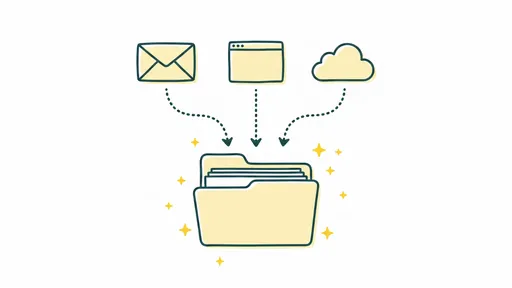
Every month, someone on your team sits down and logs into a dozen supplier portals. They click around looking for the billing section, download PDF invoices one at a time, and forward them to whatever accounting tool you're using. Then comes the inbox. Hundreds of emails, and somewhere in there are real invoices mixed in with quotes, contracts, and promo emails. They sort through it all, rename the files, upload them manually. Rinse and repeat.
I'm Amalia Bercot, Co-Founder of Sanso. Before we built our invoice capture automation service, I watched business owners and office managers lose hours every week doing exactly this. The worst part? Most of them assumed it was just part of running a business. It really doesn't have to be.
Invoice capture automation is the process of using AI and software to automatically collect, identify, and route supplier invoices into your accounting system, without anyone having to do anything. And in 2026, the technology has gotten to the point where it actually works well, even for businesses with a messy supplier setup.
Still downloading supplier bills by hand?
Sanso captures invoices from email and supplier portals automatically, so your team never has to log in again.
Book a CallWhat Invoice Capture Automation Actually Means
Invoice capture automation is the technology and process behind automatically collecting supplier invoices from all sources, whether that's email, supplier portals, or messaging apps. It classifies them correctly, pulls out the relevant data, and delivers them into your accounting platform ready for processing.
The word "capture" is doing a lot of work here. This isn't about what happens after the invoice is already sitting in your system. It's about that first step: getting the invoice from wherever it lives into your accounting tool without you touching it.
Most AP automation out there focuses on approval workflows, payment scheduling, and reconciliation. Invoice capture automation solves the problem that comes before all of that. Actually getting the bills into the system in the first place.
Why Manual Invoice Capture Is Probably Costing You More Than You Realize
Industry research suggests bottom-performing organizations spend $10 or more to process a single invoice, while top performers can get it done for closer to $2. A lot of that gap comes down to how invoices enter the system.
The Hidden Time Drain
Many businesses spend five or more days each month just handling invoices. When your team is manually downloading bills from supplier portals, those hours stack up quick.
Think about a typical month for a 10-person company:
- 5-8 SaaS subscriptions where invoices are only available on the supplier's website
- 10-20 supplier invoices arriving by email, buried among quotes, contracts, and spam
- 2-3 utility or telecom providers with their own billing portals
- Random one-off vendor bills that show up when they feel like it
Someone has to log into each portal, find the billing section, locate the right invoice for the right period, download it, and upload it to QuickBooks, Xero, or whatever you're using. For email invoices, they need to open each message, figure out if the attachment is actually an invoice (and not a quote or holiday greeting), and forward it to the right place.
The Errors That Creep In
Manual processes come with mistakes. That's just how it goes. Common ones include:
- Missing an invoice entirely because it got buried in email
- Uploading a quote or proforma instead of the final invoice
- Downloading the wrong billing period from a supplier portal
- Creating duplicate entries when the same invoice shows up via email and portal
- Forgetting to check a supplier portal for months, then scrambling at quarter-end
These aren't minor annoyances. They lead to late payment fees, missed early payment discounts, inaccurate books, and strained vendor relationships.
The Opportunity Cost
Every hour your team spends downloading and sorting bills is an hour they're not spending on work that actually moves the business forward. For a founder or CEO handling this personally, the math gets even worse. Your time is the most expensive resource in the company.
How Modern Invoice Capture Automation Works
Invoice capture automation in 2026 uses several technologies working together to cover all the ways invoices arrive at your business.
Email-Based Invoice Capture
Email is still the most common way supplier invoices show up. Modern invoice capture automation connects to your business mailbox and uses AI to look at every incoming message and attachment.
At Sanso, our Email AutoCapture works like this:
- You connect your Gmail mailbox once (via OAuth, just a "Connect with Google" button)
- You tell us which accounting platform to send invoices to (QuickBooks, Xero, Pennylane, etc.)
- Our AI analyzes every incoming email and its attachments
- It tells apart actual invoices from quotes, contracts, greeting cards, and other documents
- Only validated invoices get routed to your accounting platform
What makes this different from basic email forwarding rules? It's the intelligence behind it. QuickBooks' built-in email integration, for instance, uploads any attachment as a bill. If someone sends you a holiday greeting card with a PDF, that becomes a "bill" in your system. AI-powered capture actually understands what a document is before routing it.
Website Portal Capture
This is where it gets really interesting. Many supplier invoices, especially from SaaS tools, cloud services, and utilities, never arrive by email. They sit behind login screens on supplier portals, waiting for someone to manually download them.
Sanso's Website AutoCapture uses a computer-use AI agent that:
- Logs into the supplier's website using stored credentials
- Navigates to the billing or invoices section
- Identifies invoices for the correct time period
- Downloads each PDF
- Routes them to your accounting platform
The AI agent reads the page structure, evaluates what it sees, waits for elements to load, and makes decisions the way a person would, except it works around the clock and never forgets to check a portal.
Validation Before Processing
Capturing invoices is only half the problem. Before a bill should be approved for payment, it needs a few checks:
- Has this invoice already been paid? (duplicate detection)
- Does the amount match the approved quote or purchase order?
- Are the VAT details correct?
- Is this from a known, approved supplier?
Automated validation catches errors that would otherwise turn into overpayments, duplicate payments, or compliance issues. This is where invoice capture automation goes from simple data entry replacement to real financial risk reduction.
Invoice Capture Automation vs. Traditional AP Software
Most accounting platforms offer some level of invoice handling, but there's a real gap between what they promise and what they actually deliver.
What Traditional Tools Do Well
- Store and organize invoices once they're in the system
- Run approval workflows
- Schedule payments
- Generate reports
Where They Fall Short
- No portal capture: They can't log into your suppliers' websites and download bills for you
- Naive email parsing: They upload any attachment as a bill without understanding what the document actually is
- No proactive collection: They sit there waiting for you to bring invoices to them
- Manual work still required: Someone still has to be the "operator" feeding the system
The basic difference: traditional AP software automates what happens after an invoice enters your system. Invoice capture automation handles getting invoices into your system in the first place. You need both, but most businesses only have the first one.
Want invoice capture that actually handles portal logins?
Sanso's AI agents log into your supplier portals, download bills, and route them to QuickBooks or Xero without you lifting a finger.
Book a CallWho Benefits Most From Invoice Capture Automation
Growing Businesses (5-50 Employees)
This is where the pain is sharpest. You have enough suppliers that manual capture hurts, but not enough staff to put someone on it full-time. The founder, office manager, or COO is usually the one stuck doing it.
Businesses With Lots of SaaS Subscriptions
If your team uses tools like AWS, Google Workspace, Adobe, Slack, HubSpot, and others, each with their own billing portal, you're logging into a dozen websites every month just to get your invoices.
Companies Using Many Suppliers Across Categories
The more diverse your supplier base, the more scattered your invoice capture process gets. Different portals, different email formats, different billing cycles.
Anyone Preparing for Audit or Compliance
Missing invoices create gaps in your books. If you're getting ready for an audit or trying to close your books cleanly each month, automated capture makes sure nothing falls through the cracks.
How to Implement Invoice Capture Automation
Option 1: Build It Yourself With Rules and Forwarding
You can set up email rules to auto-forward messages from known suppliers to your accounting platform's intake address. This costs nothing but breaks easily. It falls apart when suppliers change their email templates, can't handle portal invoices, and has no way to tell an invoice apart from other attachments.
Option 2: Use Your Accounting Platform's Built-In Features
QuickBooks, Xero, and others have basic invoice capture features. These cover some of your invoices but still leave you doing manual work for portal-based bills. And they lack the intelligence to properly classify documents.
Option 3: Use a Dedicated Invoice Capture Service
Services like Sanso handle the entire capture workflow from start to finish. You do a one-time setup, connect your mailbox, specify your accounting platform, and everything after that runs on its own. Email invoices, portal invoices, validation, routing. The bills appear in your accounting tool without you lifting a finger.
This works particularly well if you want zero ongoing involvement. Sanso operates as a service with a human-in-the-loop, meaning our team handles the edge cases and exceptions that pure software can't sort out. You don't need to babysit the automation or deal with the 1% of cases that don't fit neatly into automated rules.
What to Look For in an Invoice Capture Solution
When you're evaluating invoice capture automation options, here are the questions worth asking:
- Does it handle portal invoices? Email capture is the bare minimum. The real value is automating those manual portal logins.
- How smart is the document classification? Can it tell the difference between an invoice, a quote, a contract, and a receipt? Or does it just grab everything?
- Does it integrate with your existing accounting tool? You shouldn't have to switch platforms. The solution should push captured invoices into QuickBooks, Xero, Pennylane, or whatever you already use.
- What happens with edge cases? When an invoice doesn't match expected patterns, does the system fail silently? Or is there a person who looks into it?
- How much ongoing maintenance does it need? Some solutions make you train OCR models, update templates, and manage exceptions. Others are fully managed.
- Does it validate before routing? Catching duplicates and amount mismatches at capture time prevents headaches later.
The ROI of Invoice Capture Automation
The return on investment comes from three places:
Time saved: If your team spends 8-10 hours per month on manual invoice capture (a conservative estimate for a 10-person business with 20+ suppliers), that's a full business day you get back every month.
Errors avoided: Duplicate payments, missed invoices, and wrong amounts cost real money. A single duplicate payment to a supplier can easily cost more than a month of an automation service.
Speed gained: Invoices captured and validated the same day they're issued means faster book closes, better cash flow visibility, and the ability to grab early payment discounts.
Companies that deploy AI-powered AP automation typically see payback within 8-14 months. The combination of cost reduction, faster payment cycles, and improved audit readiness makes it one of the highest-ROI investments in the finance function.
Ready to stop chasing invoices every month?
Sanso handles the full invoice capture workflow, from email and portals to validation, so your books stay complete without the manual work.
Book a CallGetting Started Today
You don't need to rip out your entire finance stack. Invoice capture automation sits on top of what you already have.
At Sanso, the setup takes minutes: connect your mailbox, tell us which accounting platform you use, and we start capturing. Your invoices show up in QuickBooks, Xero, or Pennylane as if someone on your team had manually downloaded, sorted, and uploaded each one. Except nobody did.
If you're tired of logging into supplier portals, picking through email attachments, and wondering whether you've missed a bill this month, it's time to automate the capture step. The technology works, the cost is predictable, and the alternative, doing it by hand, only gets more painful as your business grows.
Frequently Asked Questions
What is invoice capture automation? Invoice capture automation uses AI and software to automatically collect supplier invoices from email, supplier portals, and other sources, then route them into your accounting platform without manual intervention. It removes the need to download, sort, and upload bills yourself.
How does automated invoice capture work with email? The system connects to your business mailbox via OAuth, analyzes every incoming email and attachment using AI, figures out which documents are actual invoices (versus quotes, contracts, or other files), and forwards only validated invoices to your accounting tool.
Can invoice capture automation download bills from supplier portals? Yes. Advanced solutions use AI agents that log into supplier websites, navigate to billing sections, identify the correct invoices for the billing period, download the PDFs, and route them to your accounting platform, just like a person would, but automatically.
What's the difference between invoice capture and AP automation? AP automation handles what happens after an invoice is in your system: approvals, payments, reporting. Invoice capture automation handles getting invoices into your system in the first place. You need both for a fully automated accounts payable process.
Does invoice capture automation work with QuickBooks and Xero? Yes. Most invoice capture solutions plug directly into major accounting platforms including QuickBooks, Xero, Pennylane, and others. Captured invoices appear as bills in your existing tool with no migration required.
How accurate is AI-powered invoice classification? Modern AI classification can tell invoices apart from quotes, contracts, greeting cards, and other documents with high accuracy. Unlike basic email forwarding rules, AI understands document context and content rather than just looking at sender addresses or subject lines.
How much time does manual invoice capture typically take? For a business with 20-30 suppliers, manual invoice capture usually takes 8-12 hours per month. That includes logging into portals, sorting email attachments, and uploading to the accounting system. Many businesses spend five or more days each month on invoice handling overall.
What happens when an invoice doesn't match expected patterns? With a managed service like Sanso, a human operator looks into exceptions: unusual formats, new suppliers, or amounts that don't line up with purchase orders. Pure software solutions may leave you to handle those edge cases on your own.
Is invoice capture automation worth it for small businesses? Yes, especially for businesses with 5-50 employees. At that size, manual capture is painful enough to cause real problems (missed bills, late payments, wasted founder time) but the team isn't big enough to put someone on it full-time. Monthly costs typically range from $300-$2,000 depending on volume.
How long does it take to set up invoice capture automation? With a managed service, setup takes minutes. Connect your mailbox, specify your accounting platform, and capture begins. No need to train models, build templates, or configure rules. For self-managed software tools, setup can take days or weeks depending on complexity.