AI‑Powered Bank Reconciliation

AI‑Powered Bank Reconciliation

No spreadsheets. No guesswork. Just clean books. Ready to close.
No spreadsheets. No guesswork. Just clean books. Ready to close.

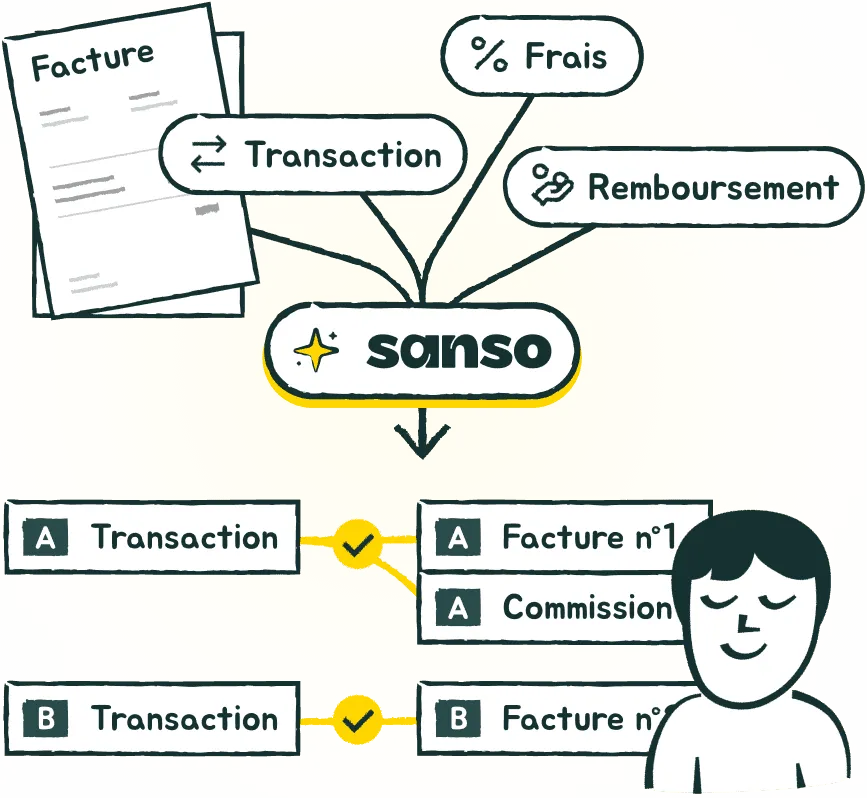
Illustration of Sanso's automated bank reconciliation process: invoices and transactions are automatically matched

Trusted by:

  • Blue Lemon logo, Sanso client
  • Watsa logo, Sanso client
  • Siit logo, Sanso client
  • Google for Startups logo, Sanso partner
  • Kamberra logo, Sanso client
  • Dipli logo, Sanso client
  • Gemini logo, Sanso technology partner
  • Worklib logo, Sanso client
  • Bucke logo, Sanso client

Trusted by:

  • Blue Lemon logo, Sanso client
  • Watsa logo, Sanso client
  • Siit logo, Sanso client
  • Google for Startups logo, Sanso partner
  • Kamberra logo, Sanso client
  • Dipli logo, Sanso client
  • Gemini logo, Sanso technology partner
  • Worklib logo, Sanso client
  • Bucke logo, Sanso client

Trusted by:

  • Blue Lemon logo, Sanso client
  • Watsa logo, Sanso client
  • Siit logo, Sanso client
  • Google for Startups logo, Sanso partner
  • Kamberra logo, Sanso client
  • Dipli logo, Sanso client
  • Gemini logo, Sanso technology partner
  • Worklib logo, Sanso client
  • Bucke logo, Sanso client

"With Sanso, our receivables are spotless, and month-end closes itself. No stress, no delays."

Photo of Enzo Makaïa, Senior Finance Manager at Dipli

Enzo Makaïa

Senior Finance Manager @Dipli

Senior Finance Manager @Dipli

96% of Your Reconciliation.
Fully Automated.

No new platform to learn. Sanso plugs into the tools you already use - banks, invoicing systems, marketplaces, accounting software (Pennylane, QuickBooks, Xero, and more) - and pushes fully matched data right into your books.

Step 1

Connect & Analyze

From bank feeds and invoices to marketplace exports and spreadsheets, Sanso retrieves and analyses every financial flow so nothing gets missed.
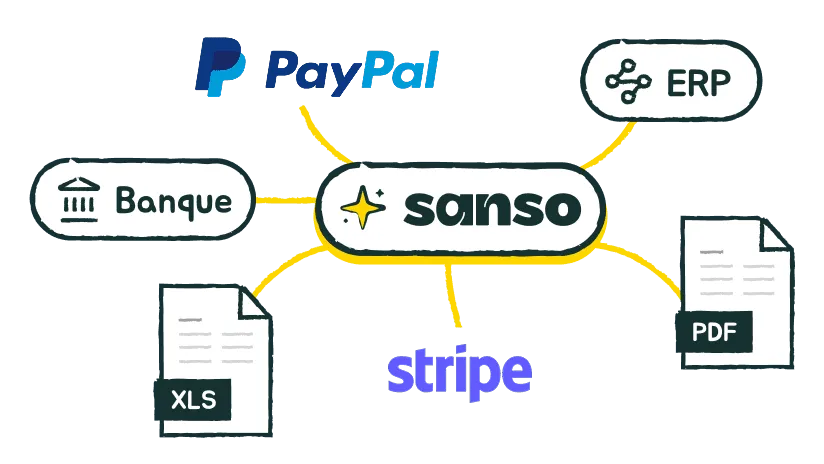
Illustration of step 1: Sanso connects to your data sources (bank, Stripe, XLS files, PDF)

Step 2

Understand & Match

Sanso AI links every transaction to the right invoice even with partial amounts, mixed fees, or grouped payouts.
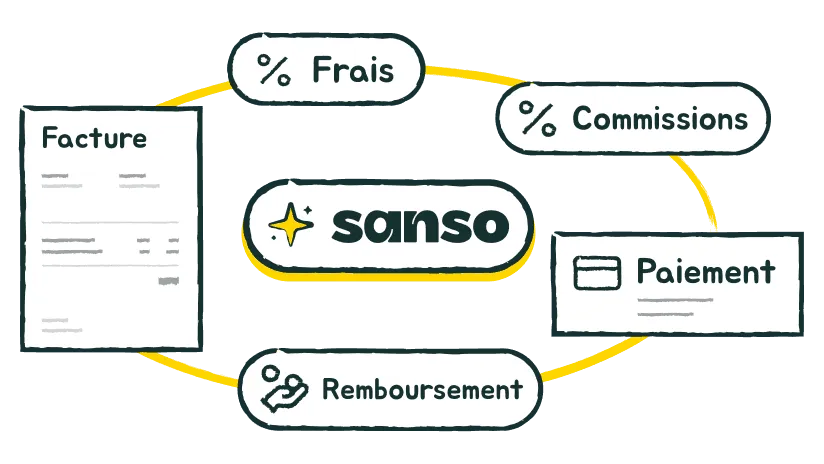
Illustration of step 2: Sanso's AI matches payments to invoices, including fees, commissions and refunds

Step 3

Sync & Close

96% of transactions matched without lifting a finger. Exceptions flagged. Everything synced to your accounting software.
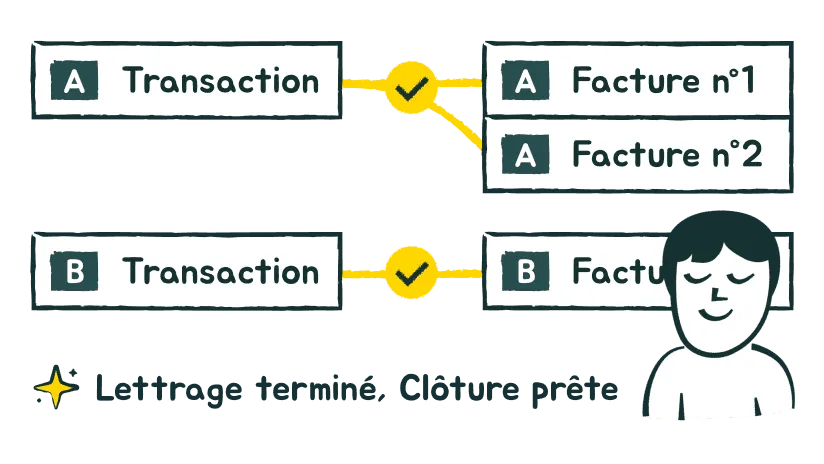
Illustration of step 3: transactions are automatically matched and synced to your accounting tool

Let Sanso do the matching
for you

We handle the reconciliation so you can focus on running your business - not chasing unmatched transactions.

Built for marketplace complexity

Other reconciliation tools fail when payouts get messy. Sanso thrives on it.

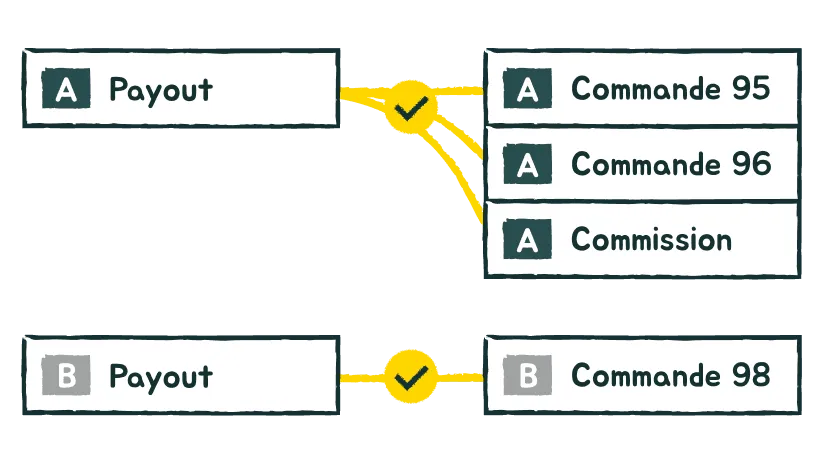
Illustration of the marketplace use case: a bulk payout automatically matched to hundreds of orders

One payout covering hundreds of orders? Automatically matched.
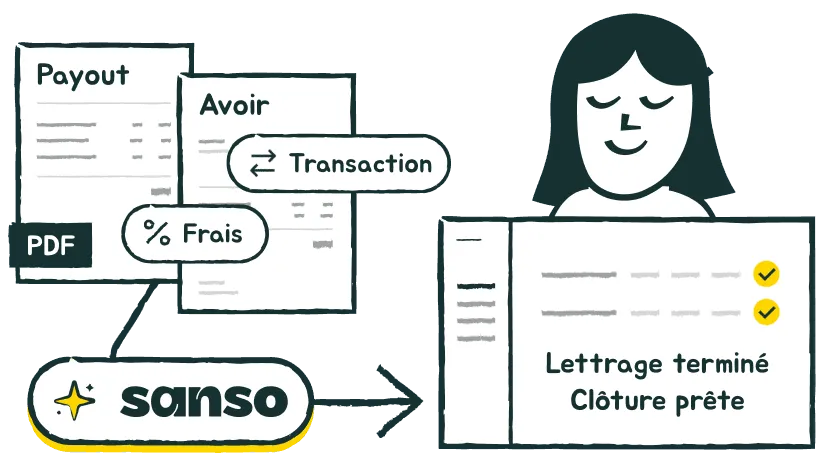
Illustration of Sanso handling complex cases: returns, credit notes, fees and commissions automatically reconciled

Refunds, credits, fees, commissions — even across multiple payouts? No problem.

Seamless integration
with your marketplaces:

Seamless integrationwith your marketplaces:

Refurbed logo, marketplace integrated with Sanso
Back Market logo, marketplace integrated with Sanso
Mirakl logo, marketplace integrated with Sanso
Amazon Marketplace logo, integrated with Sanso

"Marketplace reconciliation used to be a black hole. Sanso finds everything and matches it instantly."

Photo of Enzo Makaïa, Senior Finance Manager at Dipli

Enzo Makaïa

Senior Finance Manager @Dipli

Senior Finance Manager @Dipli

When Reconciliation
Just Happens

Keep your books clean and ready to close - automatically.

From Messy to Matched

Before Sanso

30% of finance teams’ time

wasted on manual transaction matching

Several weeks

to close the books each month

8% error rate

in client balances

With

96% of transactions

matched automatically - no manual effort

70% faster

month-end closing

0 errors

in client balances

Source: European Commission 2024 & Receipt Bank study on 500 SME owners

FAQ

Does Sanso work with my accounting software?

Will my team need training or new software?

How does Sanso handle unmatched transactions?

How does Sanso keep my data secure?