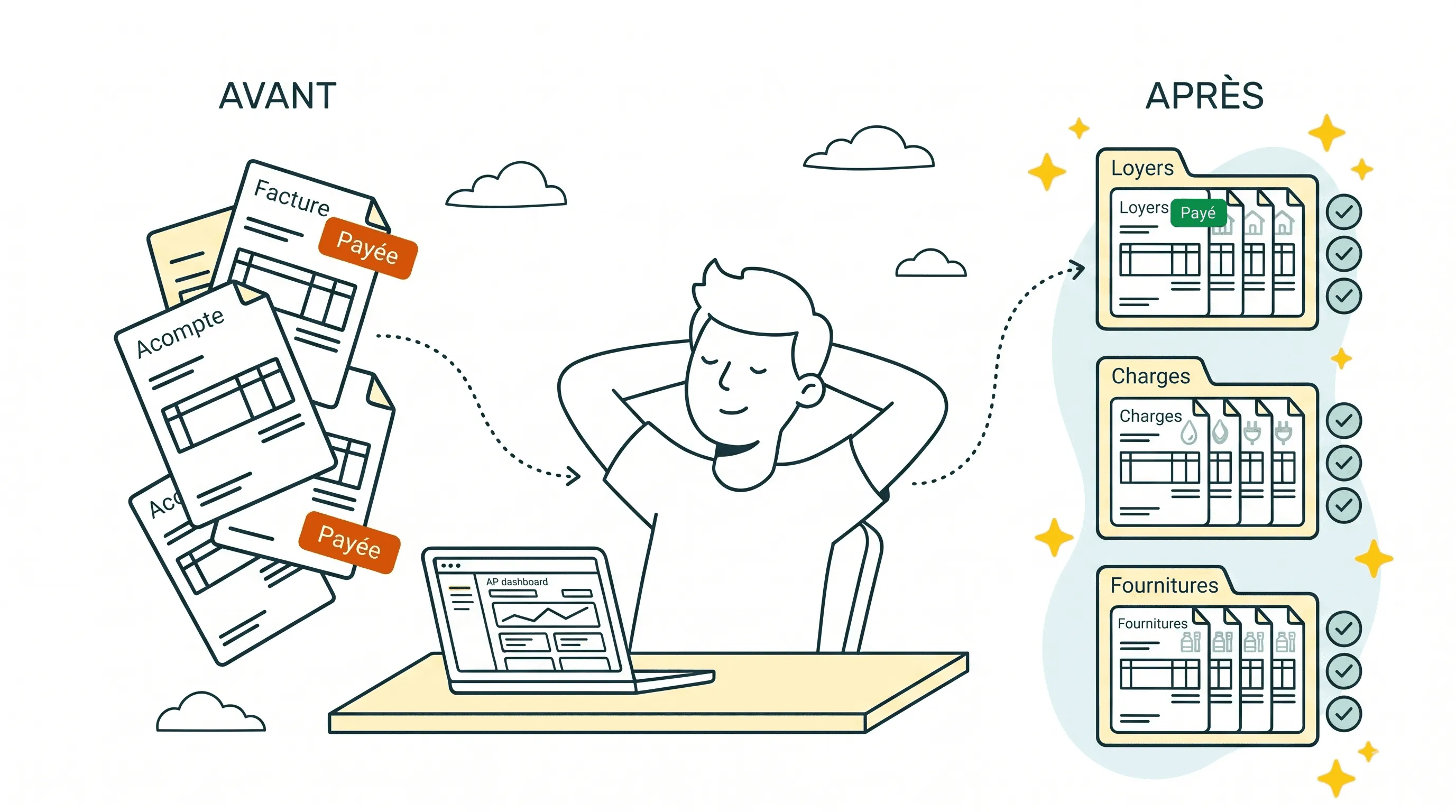
I've spent the last few years watching small business owners drown in supplier invoices. Downloading PDFs from supplier portals. Sorting real invoices from quotes. Uploading them into QuickBooks. Chasing missing bills before month-end. It just never stops. And the frustrating part? Most of this work shouldn't need to happen at all.
Accounts payable automation software is supposed to fix that. But "automation" means wildly different things depending on which tool you pick. Some solutions capture invoices but still leave you approving, routing, and reconciling everything by hand. Others handle payments but skip the collection step entirely. And a few, like what we built at Sanso, take the whole AP process off your plate so you never have to think about it again.
I'm Amalia Bercot, co-founder of Sanso. Before starting Sanso, I spent years at Brevo (formerly Sendinblue) working directly with SMBs. I saw up close how finance admin quietly eats a business alive. This guide is my honest breakdown of the best accounts payable automation software in 2026: what each tool actually does, where it falls short, and which one fits your situation.
Drowning in supplier invoices?
Sanso's AI-powered service captures, validates, and routes your supplier invoices automatically - so you never chase a bill again.
Book a CallWhat Accounts Payable Automation Software Actually Does
At its core, accounts payable automation software handles the repetitive grind of paying your suppliers. The basics: capturing invoices, extracting data, routing approvals, and processing payments. The better tools go further. They match invoices to purchase orders, flag duplicates, catch VAT errors, and sync everything back to your accounting platform.
The technology has moved fast. Early AP tools relied on basic OCR to scan invoices. Today, AI accounts payable automation software uses machine learning and even computer-use agents to capture invoices from emails, supplier portals, and messaging apps, then validate them before anyone touches a payment button.
But here's what most roundup articles won't tell you: even the best software still needs someone to run it. Someone has to configure workflows, handle exceptions, chase missing invoices, and investigate discrepancies. That "someone" is usually you, the business owner, or an office manager who already has way too much going on.
That's the gap between automation software and an automation service. Software gives you tools. A service gives you outcomes.
Best Accounts Payable Automation Software in 2026
1. Sanso - Best for Hands-Off AP Automation
Sanso isn't traditional accounts payable automation software. It's an AI-powered finance operations service. Rather than giving you a platform to manage AP yourself, Sanso's team handles the entire process: collecting supplier invoices, validating them, routing them to your accounting tool, and flagging issues before you pay.
How it works:
- Email AutoCapture: Connects to your mailbox and uses AI to analyze every incoming email and attachment. It distinguishes real invoices from quotes, contracts, and greeting cards, then routes only actual invoices to your accounting platform.
- Website AutoCapture: An AI agent logs into supplier portals (Amazon, OpenAI, SaaS tools, utilities), navigates to billing sections, downloads the right invoices, and sends them to QuickBooks, Xero, or Pennylane.
- Invoice validation: Before any invoice gets approved for payment, Sanso checks for duplicates, verifies amounts against approved quotes or POs, and catches VAT issues.
- Supplier follow-ups: If an expected invoice hasn't arrived, Sanso proactively chases the supplier. You don't have to.
Integrations: QuickBooks, Xero, Pennylane, Melio, Gmail.
Pricing: Outcome-based pricing starting at $300/month. You pay based on real financial operations (invoices processed, payments handled), not per seat or per feature.
Best for: SMBs with 5-50 employees who want AP handled entirely, without hiring a finance person or babysitting another software tool.
What makes it different: Sanso works inside your existing tools. There's no new platform to learn. After a one-time setup, the work just gets done. You see results in QuickBooks or Xero as you normally would. AI handles roughly 99% of the work; human operators step in for the edge cases.
2. BILL (formerly Bill.com) - Best for Approval Workflows
BILL is one of the most well-known names in AP automation. It focuses on digitizing the invoice-to-payment workflow with customizable approval routing, which makes it popular among businesses that need multi-step approval chains.
Key features:
- Invoice capture via email forwarding or drag-and-drop upload
- Multi-level approval workflows
- ACH, check, and international payment options
- QuickBooks and Xero integration
- Vendor management portal
Pricing: Plans start around $45/user/month. Add-ons for international payments and advanced features push costs higher.
Best for: Growing businesses (20+ employees) that need structured approval workflows and already have someone managing AP internally.
Limitations: BILL is a tool. It automates steps in the process, but you still need an internal person to operate it, handle exceptions, and manage vendor relationships. It doesn't proactively collect invoices from supplier portals or chase missing bills.
3. Rillion - Best for Mid-Market AP Automation
Rillion is an AI-powered AP automation platform that automates the entire invoice-to-payment workflow for mid-market finance teams. With 3,000+ companies and 40M+ invoices processed annually, it's built to handle complex AP needs without overcomplicating the experience.
Key features:
- AI-native invoice capture from PDFs, emails, and scans with ~95% accuracy and automatic GL coding
- AI-powered approval workflows with customizable rules and role-based approvals
- 3-way PO matching for compliance and duplicate payment prevention
- Multi-entity management from a single centralized dashboard
- 50+ ERP integrations including NetSuite, SAP, Microsoft Dynamics, and Sage
- Riley, a built-in AI assistant for instant answers on invoices and workflows
Pricing: Available on request
Best for: Mid-market companies processing 24,000+ invoices annually, particularly in healthcare, manufacturing, and hospitality with multi-entity operations.
Limitations: Rillion is designed for mid-market scale - smaller businesses with low invoice volumes may find it more than they need.
4. Melio - Best Free Option for Small Businesses
Melio stands out for making AP automation accessible to very small businesses. Its free plan includes AI-powered bill capture and free ACH payments, which is genuinely rare in this space.
Key features:
- AI bill capture from email and uploads
- Free ACH payments (credit card payments carry a fee)
- QuickBooks and Xero sync
- Batch payment scheduling
- Simple, clean interface
Pricing: Free plan available. Paid plans add features like approval workflows and accounting firm tools.
Best for: Very small businesses (under 10 employees) on a tight budget who primarily need to pay bills and sync with their accounting software.
Limitations: Melio focuses on the payment side. It doesn't capture invoices from supplier websites, validate invoices against POs, or follow up on missing bills. You're still doing the collection and verification work yourself.
5. Ramp - Best for Spend Management + AP
Ramp combines corporate cards with AP automation, giving you a unified view of all company spending. If you want both expense management and AP in one platform, Ramp is a strong pick.
Key features:
- AI-powered invoice capture and data extraction
- Corporate card program with cashback
- Automated expense categorization
- Approval workflows and policy enforcement
- Real-time spend analytics
- QuickBooks, Xero, NetSuite, and Sage integrations
Pricing: Free for core features. Revenue comes from interchange fees on card transactions.
Best for: Tech-forward businesses that want to consolidate corporate spending and AP into a single platform.
Limitations: Ramp's AP features are solid but secondary to its spend management focus. You still need someone internally to manage the AP process, handle vendor relationships, and resolve discrepancies.
No one to manage AP day-to-day?
Sanso handles your entire accounts payable process - from invoice collection to validation - without adding another tool or hire to your plate.
Book a Call6. Tipalti - Best for Global Payments
Tipalti is built for businesses with complex, international payment needs. It really shines when you're paying suppliers across multiple countries, currencies, and tax jurisdictions.
Key features:
- Invoice capture with AI-powered OCR
- Multi-currency payments across 196 countries
- Tax compliance and W-8/W-9 collection
- Three-way PO matching
- Supplier self-service onboarding portal
- ERP integrations (NetSuite, QuickBooks, Sage, SAP)
Pricing: Custom pricing based on volume. Typically starts in the mid-hundreds per month for smaller businesses and scales up significantly for enterprise.
Best for: Mid-market and enterprise businesses with international suppliers and complex compliance requirements.
Limitations: Tipalti's power comes with complexity. It's likely overkill for a 10-person business paying domestic suppliers. Implementation takes time, and you'll still need a finance team to manage the platform.
7. Stampli - Best for Collaborative AP
Stampli focuses on making the invoice approval process collaborative. It puts all communication, documentation, and approvals on top of the invoice itself, so everyone involved sees the full context.
Key features:
- Billy the Bot, an AI assistant for invoice coding and data capture
- Communication threads on each invoice
- Approval routing with delegation
- Two- and three-way matching
- Integrations with 70+ ERPs and accounting systems
Pricing: Custom pricing. Generally mid-range for the AP automation category.
Best for: Businesses where multiple people review and approve invoices and where communication about those invoices tends to get lost in email threads.
Limitations: Stampli adds intelligence to the approval process but doesn't handle upstream tasks like collecting invoices from supplier portals or chasing missing bills.
8. Yooz - Best for Document-Heavy Businesses
Yooz combines AP automation with strong document management, making it a good fit for businesses that deal with high volumes of paper or PDF invoices.
Key features:
- AI-powered document capture and OCR
- Automated data extraction with learning capabilities
- Customizable approval workflows
- Audit trail and compliance features
- 250+ ERP and accounting integrations
Pricing: Subscription-based, starting around $199/month for the Starter plan. Mid-tier and enterprise plans scale with invoice volume.
Best for: Businesses processing large volumes of invoices that need strong document management alongside AP automation.
Limitations: Like most AP software, Yooz requires someone to manage the system. It handles document capture and routing well but doesn't extend into proactive supplier management or end-to-end finance operations.
How to Choose the Right Accounts Payable Automation Software
Picking the best accounts payable automation software really comes down to three things: your team size, how much you want to stay involved, and what you're already using.
If you want zero involvement in AP, Sanso is the only option on this list that fully takes AP off your plate. You don't operate a platform. The work gets done for you.
If you have a finance team and need better workflows, BILL or Stampli give you structured approval routing and collaboration features. They make your team faster, but your team still does the work.
If budget is the primary constraint, Melio's free plan gets you basic AP automation with QuickBooks sync. Ramp is also free if you're open to using their corporate card.
If you pay international suppliers, Tipalti handles multi-currency payments, tax compliance, and global vendor onboarding better than anyone else on this list.
If you process hundreds of paper invoices, Yooz's document capture and OCR capabilities are purpose-built for high-volume, document-heavy environments.
Key Questions to Ask Before You Buy
- Who will manage this tool day-to-day? If the answer is "nobody" or "the CEO," consider a service like Sanso instead of software.
- How do invoices reach you today? If they come via email, supplier portals, and messaging apps, you need a tool that captures from all channels, not just email forwarding.
- What happens when something goes wrong? Duplicate invoices, disputed amounts, missing bills. Does the software handle these, or does it just flag them for you to resolve?
- Does it work with your existing accounting tool? QuickBooks, Xero, and Pennylane compatibility matters. Avoid tools that force you to switch platforms.
Software vs. Service: The Real Decision
Most comparisons of accounts payable automation software miss the fundamental question: do you want a tool, or do you want the work done?
Software gives you automation. You still configure it, monitor it, handle exceptions, and fix errors. For businesses with a dedicated finance person, that works fine. The software makes them faster.
But most SMBs don't have a dedicated finance person. The CEO is chasing invoices between client calls. The office manager is uploading PDFs into QuickBooks between their actual responsibilities. An intern is reconciling spreadsheets with no idea what they're looking for. If this sounds familiar, it might be worth zooming out. Our complete guide to outsourced bookkeeping covers what it costs to hand off finance admin entirely.
In these situations, more software isn't the answer. You need someone, or something, that owns the outcome. That's the difference between accounts payable invoice automation software and an accounts payable automation service like Sanso. The software automates tasks. The service delivers results.
At Sanso, our AI handles the bulk of the work: capturing invoices from emails and supplier portals, validating them, routing them to your accounting platform. When something doesn't fit the rules, our human operators step in. You see the results in your existing tools. No new dashboard to check. No workflow to manage. No fires to put out.
Still paying invoices you shouldn't?
Sanso validates every supplier invoice for duplicates, amount mismatches, and VAT errors before payment - catching costly mistakes your team doesn't have time to spot.
Book a CallFrequently Asked Questions
What is accounts payable automation software? Accounts payable automation software digitizes and streamlines the process of receiving, verifying, approving, and paying supplier invoices. It replaces manual data entry, paper-based approvals, and spreadsheet tracking with automated workflows that reduce errors and save time.
How much does accounts payable automation software cost? Pricing varies widely. Free options like Melio cover basic bill pay. Mid-range tools like BILL start around $45/user/month. Enterprise solutions like Tipalti use custom pricing based on volume. Service-based options like Sanso start at $300/month with outcome-based pricing tied to invoices processed.
What's the difference between AP automation software and an AP automation service? Software gives you tools to manage AP yourself. You still need someone to operate the platform, handle exceptions, and chase missing invoices. A service like Sanso handles the entire process for you, from invoice collection to validation to routing, using AI and human operators so you don't have to lift a finger.
Can accounts payable automation software integrate with QuickBooks? Yes. Most AP automation tools integrate with QuickBooks, including Sanso, BILL, Melio, Ramp, and Tipalti. The key difference is how deep the integration goes. Some just sync invoice data, while others like Sanso work entirely within your QuickBooks environment so you don't need a separate platform.
Is AI accounts payable automation software secure? When evaluating AI accounts payable automation software, ask about data handling practices, where your financial data is stored, and whether humans review sensitive transactions. Services like Sanso add a human-in-the-loop for every edge case, which adds an extra layer of accuracy and oversight. It's also worth checking whether the tool works inside your existing systems. With Sanso, everything happens in your own accounting platform, so your data stays where you already trust it.
What features should I look for in AP automation software? Essential features include automated invoice capture (from email, portals, and uploads), data extraction and validation, approval workflows, accounting platform integration, and duplicate detection. More advanced features worth considering: three-way PO matching, multi-currency support, supplier follow-ups, and AI-powered classification that distinguishes invoices from quotes and other documents.
How long does it take to implement AP automation software? Simple tools like Melio can be set up in minutes. Mid-range platforms like BILL or Stampli typically take a few days to configure approval workflows. Enterprise solutions like Tipalti may require weeks of implementation. Sanso's setup is a one-time connection of your email and accounting platform. After that, the service runs in the background.
Can small businesses benefit from AP automation? Yes, and probably more than they expect. Small businesses processing even a few dozen invoices per month lose real time to manual AP tasks: sorting emails, downloading invoices from supplier portals, entering data into accounting software, and following up on missing bills. AP automation eliminates most of this work, freeing the business owner or office manager to focus on things that actually move the needle.
What is the ROI of accounts payable automation software? Manual invoice processing costs between $15 and $40 per invoice when you factor in data entry, approval routing, error correction, and payment execution. AP automation tends to reduce this cost by 60-80%. Beyond direct savings, automation prevents costly mistakes like duplicate payments, missed early-payment discounts, and compliance issues from lost invoices.
Should I hire a finance person or use AP automation software? It depends on your needs. A finance hire costs $50,000-$80,000 per year plus benefits and gives you a single person's knowledge. AP automation software costs a fraction of that but still requires someone to operate it. A service like Sanso gives you the best of both: AI-powered automation plus human expertise from working across many businesses, at a fraction of the cost of a full-time hire, starting at $300/month.