Automated Bank Reconciliation for Small Businesses
Sanso handles bank reconciliation for small businesses so you never have to manually match transactions again. AI-powered, human-verified, 99% automated.
The Problem
Bank reconciliation is the task you keep putting off until it piles up. Every transaction on your account needs to be matched to its invoice, to the purchase or sale that triggered it. Until that's done, you're flying blind. Which clients have paid? Which ones are late? That supplier invoice, has it already been paid? You don't know for sure.
Reconciliation piling up while you fly blind?
Sanso takes over all the checking work and matches every transaction to the right invoice, in real time and directly in your tools.
Book a callAnd the consequences are very real. You pay the same supplier invoice twice because nobody noticed it had already gone through. You chase a client who paid last week. You discover an unpaid invoice three months too late. Then comes the time to reclaim VAT or close the books, the data doesn't hold up, and everything has to be redone by hand. In a small business, this checking work usually lands on the business owner, or on someone already stretched thin, who loses hours comparing statements and invoices line by line.
Some situations are close to impossible to handle by hand anyway. A transfer label that looks nothing like the invoice name. A few cents of difference from a currency conversion. A few days between the invoice date and the payment date. And for marketplace sellers, it gets worse: a single transfer can bundle hundreds of orders, refunds, and commissions. I'm Amalia Bercot, co-founder and CEO of Sanso, and this is exactly the work we decided to take on.
How Sanso Handles Your Bank Reconciliation
Sanso is a financial management service. Not another piece of bank reconciliation software to tame. No new platform to log into, no interface to wrestle with. Sanso plugs into what you already use: your bank (Qonto, Revolut Business, Float), your accounting tool like Pennylane, your Google Workspace. We do the work.
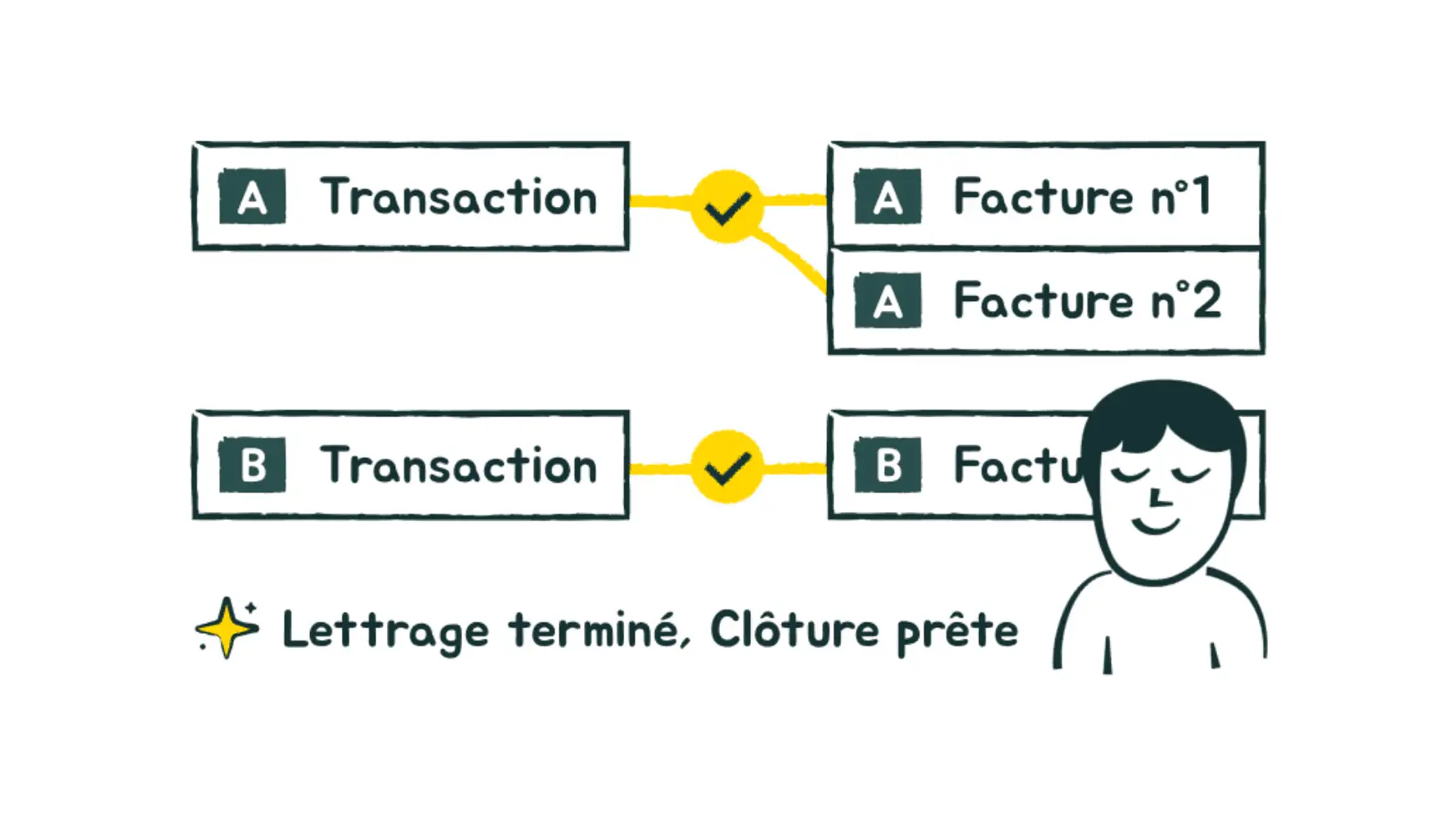
In practice, you delegate the entire reconciliation to us. For every bank transaction, we find the matching purchase or sales invoice in real time and update its status in your tool. Nothing left to check on your side. The results show up in your own tools, and you talk to us the way you would with a freelancer, by email or on WhatsApp.
The idea fits in one sentence: books that are always up to date, permanent visibility on where you stand, and not another second spent thinking about it.
Key Capabilities
Real-Time Reconciliation of Every Transaction
Every time a transaction hits your account, Sanso finds the matching invoice and updates its status in your financial management tool. That's the foundation everything else rests on: never paying the same supplier invoice twice, knowing at any moment who has paid and who's dragging, keeping a clean record of unpaid invoices, and finally having solid data to calculate and reclaim VAT. Automated bank reconciliation stops being the end-of-month chore and becomes, simply, the normal state of things.
Hard Cases, Handled by AI
This is where it all plays out. Classic auto-matching works fine as long as everything lines up perfectly, then stalls at the first anomaly and dumps the transaction in the "handle manually" pile. Sanso makes the connection where others give up: an amount difference from a currency conversion, a transaction label that doesn't quite match the invoice wording, a few days between the invoice date and the payment date. The AI understands it's the same operation, and the match happens anyway.
Marketplace Payout Reconciliation
Every marketplace seller knows this headache: Back Market, Mirakl, Stripe, MediaMarkt, Cdiscount, or Refurbed send you one bulk transfer, a payout, that stacks hundreds of orders, refunds, and commissions into a single bank transaction. Reconciling that by hand, operation by operation, is a nightmare. Sanso breaks down each payout and matches every line to its corresponding operation in your accounting. The automated reconciliation rate runs around 96%, and our operators take care of the remaining discrepancies.
Bank statements still eating your evenings?
Delegate reconciliation to Sanso and get books that are always up to date, without spending a single minute on it.
Book a callData Ready for Accounting and VAT
Once reconciliation is done, your books are up to date and your data is clean. Your accountant receives complete, consistent information, VAT calculations rest on reliable amounts, and the close goes through without re-checking everything. Sanso doesn't do your accounting in the regulatory sense of the term: it prepares the operations upstream so that your accounting runs without a hitch.
AI Supervised by Humans
Behind everything Sanso does, there's an AI that takes in your company's context and learns how it operates over the months. But on sensitive cases, it never works alone: our operators supervise, dig into the remaining discrepancies, and settle ambiguous situations. Between 80% and 99% of the work is automated, with 100% reliability.
Who This Service Is For
Bank reconciliation with Sanso is built for French small businesses that want up-to-date books without sacrificing their evenings:
- Business owners of 5-50 person companies who check their bank statements themselves, or who've handed the job to someone without the right tools at hand.
- E-commerce companies with high invoice volumes and continuous reconciliation to run between orders and payments.
- Marketplace sellers drowning in bulk payouts from Back Market, Mirakl, Stripe, or Cdiscount, where each transfer hides hundreds of operations.
- Consulting agencies, law firms, and startups that want reliable financial reporting and up-to-date books, without the budget to hire a full-time finance person.
- General contractors and construction businesses, whose winding financial flows and cash flow stakes demand close tracking of incoming and outgoing payments.
How It Works
- Onboarding. We plug into your existing tools: your bank, your accounting tool, your Google Workspace. A few days is all it takes, and your business keeps running in the meantime.
- Connecting the flows. Sanso pulls your bank transactions and your invoices, purchases and sales alike, directly from your tools.
- Continuous reconciliation. For every transaction, we find the matching invoice and update its status, in real time, tricky cases included.
- Exception handling. Our operators dig into and resolve the discrepancies that couldn't be matched on their own, until coverage reaches 100%.
- Your visibility. Everything lands in your own tools, and you write to us by email or on WhatsApp whenever the need comes up.
Results You Can Expect
Books that are up to date, permanently. Reconciliation no longer piles up at month-end; it happens as you go, and you know at any moment who has paid, what's pending, and what's dragging.
A serious amount of time back. At one of our clients, Dipli, a reconciliation that used to take two days now wraps up in a few minutes, with around 96% automated matching. Those hours go back into your actual business.
Fewer costly errors. No more double payments, no more reminders sent to a client who already paid, no more unpaid invoices discovered too late. And reliable data for VAT and for the close, ready to hand off to your accountant.
Get Started
If bank reconciliation is costing you time, falling behind, or making you doubt your own books, let's talk. In a few days, Sanso plugs into your tools and takes over reconciliation end to end, from everyday transactions to the most tangled marketplace payouts. And to see concretely what it would change for your business, the simplest way is to book a call with our team.