What Is Accounts Receivable Automation? Benefits, Tools, and How It Works
Back when I was running operations at Brevo, I saw small business owners burn hours every week chasing invoices, copying numbers between spreadsheets, and writing uncomfortable follow-up emails to clients who hadn't paid. It was tedious. It was stressful. And it was completely avoidable. That experience is a big reason I co-founded Sanso, because getting paid really shouldn't be this hard.
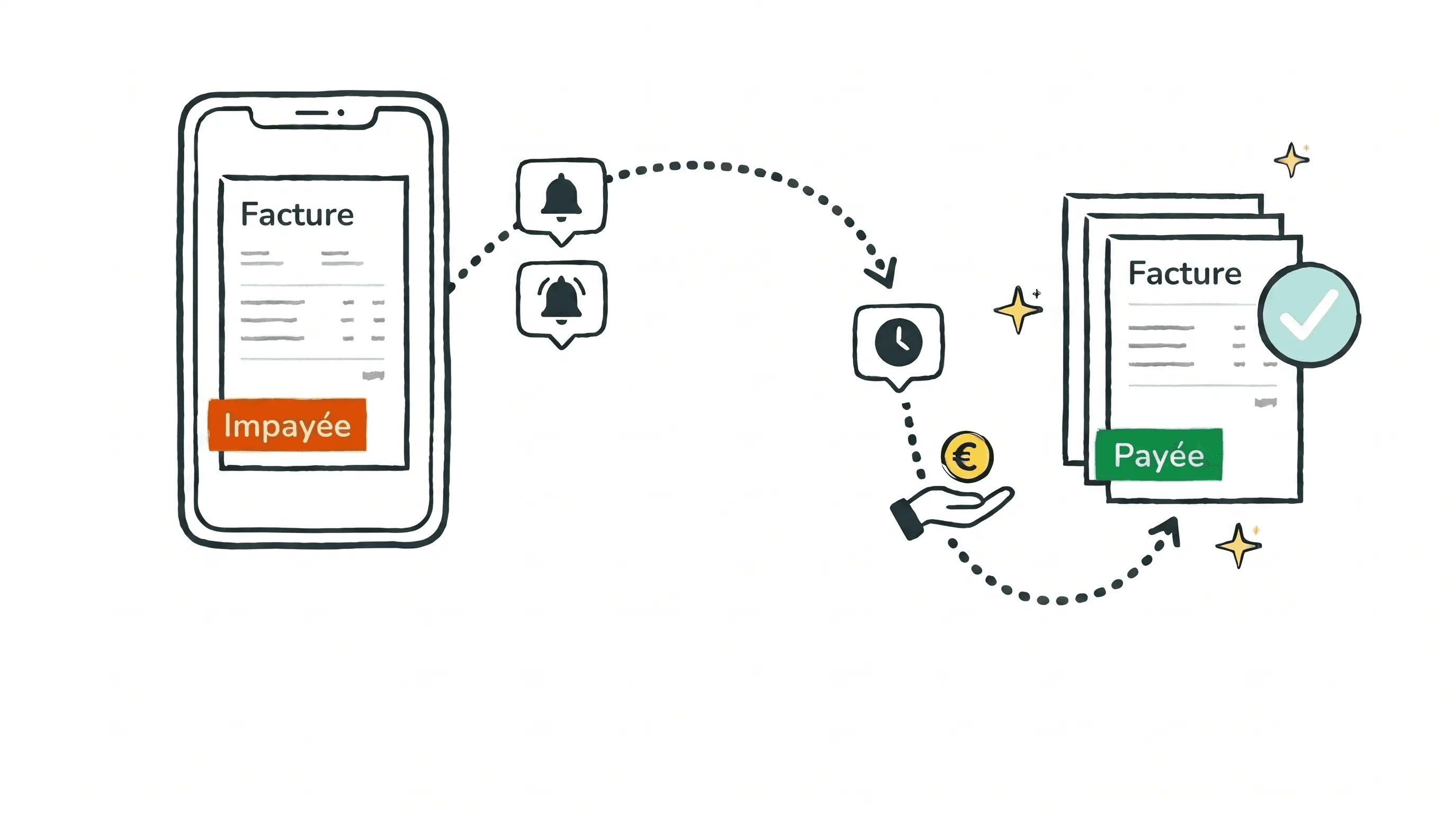
Accounts receivable automation is the practice of using technology to take over the repetitive, manual tasks involved in collecting money your customers owe you. Rather than creating invoices by hand, tracking payments in spreadsheets, and writing reminder emails one at a time, automated systems handle it on your behalf.
In this guide, I'll walk through exactly how accounts receivable automation works, the real benefits it brings to small businesses, and how to pick the right approach for your team.
Tired of chasing payments yourself?
Sanso handles your entire accounts receivable process - from invoice creation to human follow-up on overdue payments - so you get paid without lifting a finger.
Book a CallWhat Is Accounts Receivable Automation?
Accounts receivable automation uses software or services to manage the full process of billing customers and collecting payments. That covers generating invoices, delivering them through the right channels, tracking payment status, sending reminders for overdue balances, and reconciling incoming payments against open invoices.
The goal is straightforward: remove the manual work between "you did the work" and "you got paid."
In most small businesses with 5 to 50 employees, accounts receivable falls to the CEO, an office manager, or a part-time bookkeeper. None of them have AR as their primary responsibility, so invoices go out late, follow-ups slip through the cracks, and cash flow takes a hit.
At Sanso, we handle the entire accounts receivable process as a service. We create invoices, submit them into each customer's procurement workflow, track payments in real time, and do real human follow-up when invoices go unpaid. The business owner doesn't have to think about it.
How Does Accounts Receivable Automation Work?
The accounts receivable process has several steps, and automation can handle most or all of them. Here's what that workflow typically looks like:
1. Invoice Creation and Delivery
When a sale closes or a milestone is reached, the system automatically generates an invoice with the right amounts, line items, and payment terms. It then delivers the invoice to the customer through their preferred channel, whether that's email, a procurement portal, or an AP system.
Manual version: Someone opens a spreadsheet, types in the details, exports a PDF, and emails it. That takes 15 to 30 minutes per invoice, and mistakes happen regularly.
Automated version: The invoice is generated and sent within minutes of the triggering event. No human involvement required.
2. Payment Tracking
Once invoices are out, the system monitors which ones have been viewed, which are approaching their due date, and which are overdue. You get a real-time view of outstanding receivables without juggling multiple systems.
3. Automated Reminders and Follow-Up
Before an invoice is due, the system sends a courtesy reminder. After it goes overdue, additional reminders follow. The best AR automation solutions go beyond generic emails. They adapt the messaging based on how late the payment is and the customer's payment history.
4. Payment Processing and Reconciliation
When the customer pays, the system matches the payment to the correct invoice, updates the books, and closes the loop. No manual matching. No hunting through bank statements.
5. Exception Handling
This is where most automation tools fall short. When a customer replies to a reminder with "that invoice has the wrong amount" or "you billed the wrong entity," someone has to deal with the back-and-forth. Automated dunning systems simply can't do this.
Sanso takes a different approach by pairing AI with human operators. When a customer disputes an invoice, our team investigates, voids or corrects it, reissues a clean version, and keeps following up until payment comes through. This is the step that separates "we sent reminders" from "we actually got paid".
Key Benefits of Accounts Receivable Automation
Get Paid Faster
Companies that automate more than half of their AR processes report a 32% decrease in Days Sales Outstanding (DSO), roughly 19 fewer days waiting for payment. Faster invoicing plus consistent follow-up equals faster cash in the bank.
Reduce Manual Work
Every hour your team spends creating invoices, checking payment status, and sending reminders is an hour not spent on work that actually grows the business. AR automation eliminates repetitive tasks that can consume 10 to 20 hours per week in a typical small business.
Fewer Errors, Fewer Disputes
Manual data entry leads to mistakes: wrong amounts, duplicate invoices, incorrect customer details. Those errors create disputes that push payment back even further. Automated systems pull data directly from your records, which reduces errors at the source.
Improved Cash Flow Visibility
Rather than wondering who owes what, you get a real-time dashboard of your receivables. You can see exactly which invoices are outstanding, which customers are consistently late, and where your cash flow stands at any given moment. Sanso gives you this visibility through your existing accounting tools, with no new system to learn.
Lower Bad Debt
Research suggests that firms using automated accounts receivable processes see a 10 to 15% reduction in bad-debt write-offs. Consistent follow-up means fewer invoices slip into uncollectible territory.
Better Customer Relationships
This might sound counterintuitive, but automating collections tends to improve customer relationships. Professional, timely reminders are far less awkward than the CEO sending a personal "hey, can you pay us?" email three weeks late. And 75% of businesses with AR automation report providing better customer experiences.
Accounts Receivable Automation Software vs. AR Automation Services
There are two broad approaches to automating your accounts receivable, and the distinction is worth understanding.
AR Automation Software
These are tools you purchase and operate yourself. You set up workflows, configure reminders, manage integrations, and handle exceptions as they come up. Examples include BILL (starting around $45/user/month), FreshBooks, Zoho Books, and enterprise platforms like HighRadius and NetSuite.
Pros: Full control over everything. Works well for companies with a dedicated finance person who can manage the tool day to day.
Cons: Someone on your team still needs to run the system, handle disputes, and manage edge cases. The tool automates tasks, but the process still belongs to you.
AR Automation Services
A service like Sanso handles the entire process for you. We don't hand you a tool to operate. We do the work. Our team uses AI-powered systems to generate invoices, track payments, and follow up on overdue balances. When disputes come in, real people handle the resolution.
Pros: No internal champion needed. No learning curve. The work gets done without anyone on your team lifting a finger.
Cons: You're delegating a core business function (though you retain full visibility, since everything Sanso does shows up in your existing QuickBooks, Xero, or Pennylane account).
Which Approach Is Right for You?
If you have a 20-person finance team and want granular control over every workflow, software is probably the right call. But if you're a 10-person business where the CEO is personally chasing invoices between meetings, a service that simply handles it is a better fit. Most of the small businesses I talk to don't want another tool. They want the problem to go away.
Disputes stalling your cash flow?
Unlike automated dunning emails, Sanso's human operators resolve invoice disputes end-to-end - correcting, reissuing, and following up until your customer actually pays.
Book a CallHow to Choose the Right AR Automation Solution
Define Your Biggest Pain Point
Is it invoice creation? Payment tracking? Collections? Reconciliation? Most small businesses struggle with all of these, but knowing your biggest bottleneck helps you figure out where to start.
Consider Your Team Size
If you don't have a dedicated finance person, software that requires configuration and ongoing management may actually create more work, not less. A service-based approach removes the need for an internal operator entirely.
Check Integration Compatibility
Whatever solution you choose needs to work with your existing accounting platform. Sanso integrates with QuickBooks, Xero, and Pennylane, so you keep using the tools you already know.
Evaluate Exception Handling
Ask specifically: "What happens when a customer disputes an invoice?" If the answer is "you handle it," then the solution only automates the easy parts. The hard parts, the back-and-forth with customers, the corrections, the reissues, are where most of the time actually goes.
Look at Pricing Models
Some tools charge per user, others per transaction. Sanso uses outcome-based pricing tied to real financial operations (invoices issued, payments recovered) rather than seats or features. You pay for results, not access.
Common Mistakes When Automating Accounts Receivable
Automating a Broken Process
If your invoicing is inconsistent or your payment terms are unclear, automation will just do the wrong thing faster. Clean up your process first. Standardize payment terms, invoice templates, and customer data. Then automate.
Ignoring the Human Element
Automated reminder emails work fine for routine follow-ups. But when a customer has a legitimate dispute, sending another automated email only makes things worse. The best accounts receivable automation combines technology for routine work with human judgment for exceptions.
Choosing Software When You Need a Service
I've watched businesses buy accounts receivable automation software, spend weeks configuring it, and then realize nobody has time to manage it. The tool sits half-configured while invoices pile up. Be honest about your team's capacity before committing to something that demands ongoing attention.
Not Measuring Results
Track your DSO (Days Sales Outstanding), collection rate, and time spent on AR tasks before and after automation. If you can't measure the improvement, you can't justify the investment or catch problems early.
Accounts Receivable Automation for Different Business Types
Agencies and Professional Services
Agencies bill clients monthly or per project, often with complex scoping. The challenge is tracking billable work across multiple clients and making sure nothing falls through the cracks. Automated invoice creation and submission ensures every billable event turns into an invoice.
B2B Companies
B2B payment cycles tend to be longer, with net-30 or net-60 terms being standard. That makes consistent follow-up critical. AR automation keeps the pressure steady without your team having to manually track dozens of outstanding invoices.
Construction and Trades
Progress billing, retainage, and change orders make construction invoicing uniquely complex. Automation handles the recurring billing while humans manage exceptions and negotiations.
Marketplace Sellers
If you sell on marketplaces, your AR challenge looks different. It's about reconciling bulk payouts against individual orders and refunds. Sanso's reconciliation engine achieves roughly 99% automated matching, with human operators resolving the remaining exceptions.
No finance team to run AR tools?
Sanso works inside your existing QuickBooks or Xero account with no setup burden - just connect once and your receivables are handled.
Book a CallGetting Started With Accounts Receivable Automation
You don't need a massive implementation project to start automating AR. Here's a practical path:
- Audit your current process. How many invoices do you send per month? What's your average DSO? How many hours does your team spend on AR tasks? These numbers become your baseline.
- Identify quick wins. Automated invoice delivery and payment reminders are the easiest starting points with the fastest payback.
- Decide: tool or service? If you have someone to run a tool, evaluate software options. If you want the problem handled for you, talk to a service like Sanso.
- Start small. You don't have to automate everything at once. Begin with your highest-volume or most-overdue accounts and expand from there.
- Measure and adjust. Track DSO, collection rates, and time savings monthly. Adjust your approach based on what the data tells you.
At Sanso, onboarding takes days, not months. You connect your accounting platform, and we start handling your receivables. No new software to learn, no workflows to configure, no internal champion required. The work just gets done.
Frequently Asked Questions
What is accounts receivable automation? Accounts receivable automation is the use of technology to handle the tasks involved in billing customers and collecting payments, including invoice creation, delivery, payment tracking, reminders, and reconciliation. It replaces manual spreadsheet work and email follow-ups with systematic, automated processes.
How does AR automation help small businesses? Small businesses benefit the most from AR automation because they typically lack dedicated finance staff. Automation can reduce the time spent on invoicing and collections by 50% or more, speed up payments (reducing DSO by up to 32%), and cut out errors from manual data entry.
What is the difference between AR automation software and an AR automation service? AR automation software is a tool you buy and run yourself. You configure workflows, manage integrations, and handle exceptions. An AR automation service like Sanso does the work for you, managing the entire receivables process so your team doesn't have to.
How much does accounts receivable automation cost? Costs vary widely. Software tools range from $21 to $55 per user per month for basic plans, with enterprise solutions costing significantly more. Service-based options like Sanso use outcome-based pricing tied to invoices issued and payments recovered, typically ranging from $300 to $2,000 per month depending on volume.
What is Days Sales Outstanding (DSO) and how does automation improve it? DSO measures the average number of days it takes to collect payment after a sale. Lower DSO means faster cash flow. AR automation improves DSO by sending invoices immediately, following up consistently on overdue payments, and reducing the errors and disputes that delay collection.
Can accounts receivable automation handle customer disputes? Most AR software can send automated reminders but can't handle disputes. When a customer says "this amount is wrong" or "you billed the wrong entity," a human still needs to investigate and resolve it. Services like Sanso combine AI automation with human operators who handle dispute resolution end-to-end.
Does AR automation work with QuickBooks, Xero, or other accounting tools? Yes. Most AR automation solutions integrate with major accounting platforms. Sanso works with QuickBooks, Xero, and Pennylane, operating inside your existing tools so you don't need to learn a new system.
How long does it take to implement accounts receivable automation? It depends. Software tools typically take a few weeks to fully configure. Service-based solutions like Sanso can be up and running within days. You connect your accounting platform, and the service begins handling your receivables.
Is accounts receivable automation secure? Reputable AR automation providers use bank-level encryption and follow strict data security protocols. With a service like Sanso, all work is visible in your own accounting tools. Nothing is hidden in a separate system you can't access.
What should I look for when choosing an AR automation solution? Focus on five things: integration with your existing accounting platform, how disputes and exceptions are handled, pricing model (per-user vs. outcome-based), implementation timeline, and whether you need an internal person to manage it. If you don't have a dedicated finance team, a service-based approach eliminates the management overhead.