The Invoice OCR That Reads, Understands, and Does the Work for You
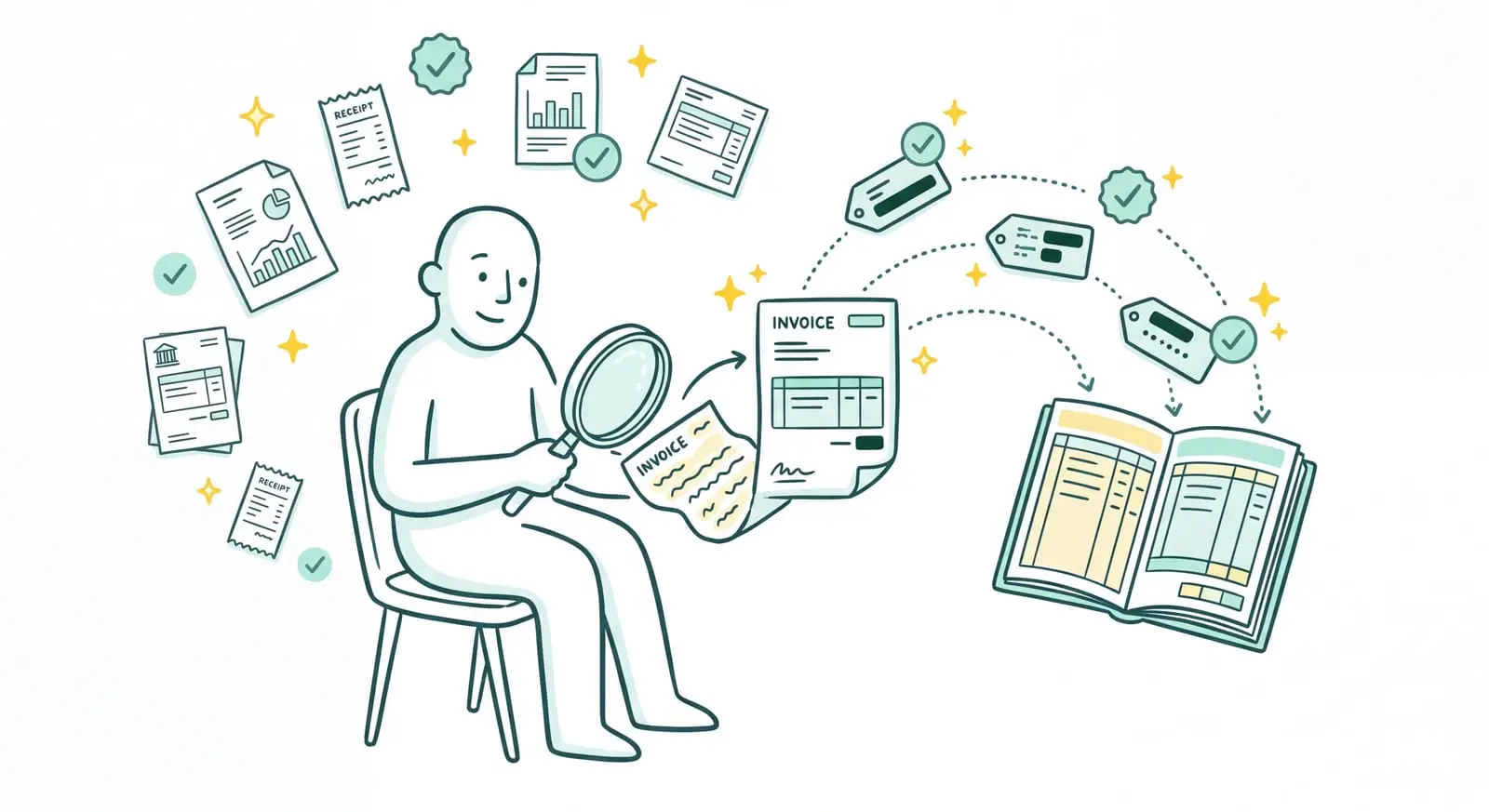
Most invoice OCR software stops right where the real work begins. It reads a PDF, pulls out two or three fields, and leaves you to check, categorize, then re-key everything by hand into your books. Sanso comes at the problem from the other end. Recognizing the invoice is just one step. What really matters is that it lands in the right place, with the right data, already categorized, without you lifting a finger.
Invoices eating up your hours?
Sanso takes over collecting, reading, and entering your supplier invoices directly in your tools, so you never have to deal with them again.
Book a callSanso is a financial management service powered by AI. Reading your supplier invoices automatically is part of what the team handles for you, directly in the tools you already have at hand: Pennylane, Qonto, or Google Workspace.
- Recognition of any financial document, not just standard invoices.
- Data extraction that takes context into account, instead of blindly filling in boxes.
- Automatic entry into your accounting tool, without a single export or re-import.
The Problem: Extracting Invoice Data Is Only 10% of the Work
You've probably already tried invoice OCR software. On paper, it's straightforward: you drop in a PDF, the tool recognizes the amount, the date, the supplier. Except in practice, you're still spending just as much time on your invoices.
Why? Because classic OCR doesn't know where to go looking for your invoices. They arrive by email, buried among quotes, contracts, and greeting cards. Others sit on your supplier portals, with your telecom provider, on Amazon, in your SaaS subscriptions. Someone still has to go get them, sort them, and drop them into the tool. OCR only comes in at the very end.
And even once the data is extracted, you're not done. You have to check there's no duplicate, that the amount matches the quote, that the VAT adds up. Decide which project or cost center the expense belongs to. And finally make sure all of it lands cleanly in your books. It's this invisible work, repeated invoice after invoice, that ends up eating hours every week.
| Without Sanso | The hidden cost |
|---|---|
| Fetching invoices from every supplier portal | Time lost every month, forgotten invoices |
| Sorting real invoices from quotes and other attachments | Misfiled documents, import errors |
| Checking duplicates, amounts, and VAT one by one | Overpayments, compliance issues |
| Re-keying and categorizing in the accounting tool | Cost accounting that never really stays up to date |
What If Your Invoices Processed Themselves?
Picture it for a second: never again opening a supplier portal to download an invoice. No more inbox sorting. Not a single amount left to re-key. Invoices arrive in your accounting tool already read, checked, and categorized, and you didn't have to do a thing.
Invoice Recognition, Handled End to End by Sanso
Sanso's OCR doesn't just read a document. It's part of a complete chain the Sanso team operates for you: finding the invoice wherever it's hiding, recognizing it, extracting its data, categorizing it, then filing it in the right place. In detail, this automatic reading rests on three pillars.
Recognition that understands the document. Sanso's OCR is advanced and flexible. It recognizes any type of financial document, not just standard invoices: rent notices, calls for funds, construction progress statements. It reads the document line by line and tells a real invoice apart from a quote, a pro forma, or a contract. And it doesn't stop at the general type. It goes down to the fine distinctions that matter to you, say a routine service charge call versus an exceptional one, adapting to your context and to what you've asked of it. Duplicates, meanwhile, get spotted and set aside.
Extraction that takes context into account. Where a rules-based system just fills in fields, Sanso's AI cross-references several sources: the invoice's contents, the email that came with it, the history of documents already processed and, if needed, your CRM or your ERP. The result: it identifies the supplier even when the label changes, understands line items written in a foreign language, and knows how to split an invoice across several projects with the math done right.
Entry that closes the loop. Once the invoice is recognized and the data extracted, Sanso files it directly in your accounting tool. It shows up in your supplier invoices, already categorized to your own cost categories. No export, no re-import, no re-keying.
Classic Invoice OCR vs. Sanso: The Difference
When you compare the two approaches, the gap isn't about how well a PDF gets read. It's about everything around it. Sanso appears first here, followed by classic invoice OCR software.
| Sanso | Classic invoice OCR software | |
|---|---|---|
| Invoice retrieval | Automatic collection from email, supplier portals, and WhatsApp | You download and upload each invoice yourself |
| Invoice vs. non-invoice sorting | Tells invoices from quotes, pro formas, contracts; sets duplicates aside | Imports any attachment as an invoice |
| Document reading | Line-by-line reading, with context understanding | Predefined field extraction, no context |
| Cost categorization | Contextual: multi-project, foreign languages, changing labels | Rules and keywords you create and maintain yourself |
| Accounting data entry | Automatic routing to Pennylane, Tiime, Axonaut, Xero | An export you re-import by hand |
| Who does the work | Sanso, end to end | You, once the extraction is done |
Three numbers sum up the gain:
- 80% to 99% of processing automated, depending on the case.
- 100% reliability, because a human stays in control of the exceptions.
- From 4 hours a week to a few minutes: that's what Kamberra, a Sanso client, got back on invoice chasing.
What Sanso's Automatic Invoice Reading Covers
Advanced, Flexible OCR
- Recognition of any type of financial document, not just invoices
- Rent notices, calls for funds, construction progress statements, account statements
- Reliable reading whatever the format of the PDF or document
Smart Document Classification
- Tells a real invoice from a quote, a pro forma, or a contract
- Makes the fine distinctions within a single type (e.g., routine vs. exceptional service charge call), based on your context
- Factors in the email's context to decide which action to take
- Detects and sets aside duplicates before import
Contextual Data Extraction
- Amount, VAT, supplier, date, purchase order number
- Line-by-line reading rather than filling fixed fields
- Identification of line items even in a foreign language
Automatic Cost Categorization
- Assigns each line to the right project or cost center
- Splits an invoice across several projects with the exact math
- Applies your cost categories, learned over time
Multi-Channel Invoice Collection
- Email AutoCapture: analyzes your inbox and extracts the invoices
- Website AutoCapture: an AI agent retrieves invoices from supplier portals
- WhatsApp AutoCapture: any document sent to the dedicated channel gets imported
Routing and Security
- Automatic delivery into Pennylane, Tiime, Axonaut, or Xero
- GDPR compliance, data hosted in the European Union
- Google CASA certification for Google Workspace access