Web Invoice Capture: The AI That Fetches Your Invoices for You
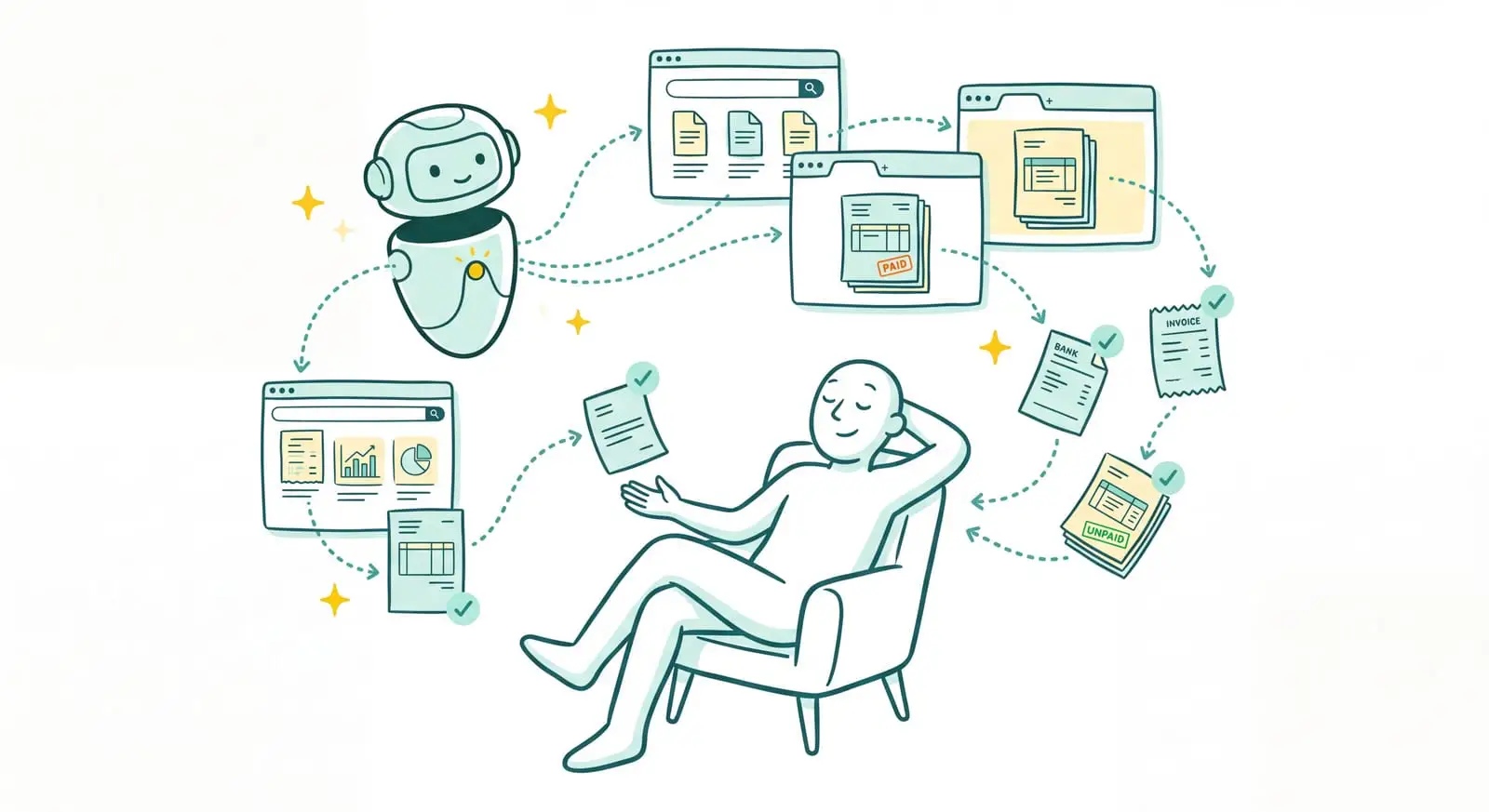
A good share of your supplier invoices never lands in your inbox. They're waiting for you somewhere else, online, on the supplier's portal: your telecom carrier, your SaaS subscriptions, OpenAI, Amazon. Getting them back is always the same ritual. Log into each site, find the billing section, spot the right invoices, download them one by one, then import them into your accounting. Sanso, for its part, is a financial operations service powered by AI. And web invoice capture, here, isn't a tool you install and then operate. It's Sanso's AI that logs into your supplier portals, finds your invoices, and retrieves them. On your side, you don't log into anything and you don't download anything.
Invoices stuck on your suppliers' portals?
Powered by AI, Sanso logs into every portal, finds your invoices online, and delivers them into your accounting, with no logging in or downloading on your side.
Book a callSo what does that look like in practice? You store your credentials once in a secure vault, and that's about all we ask of you. Behind the scenes, a Sanso AI agent opens a browser, goes to each supplier portal, logs in, finds the invoices for the period, and brings them back into the tools you already use: Pennylane, Tiime, Axonaut, or Xero.
- Automatic login to supplier portals, without you having to open a single site.
- Autonomous navigation to the right invoices, on almost any website.
- Retrieval and delivery into your accounting, ready to use, with no re-keying.
The Problem: Some of Your Invoices Are Waiting Online, and Nobody Goes to Get Them
Not every invoice lands in the inbox. And more and more suppliers simply don't send them at all anymore: they just post them on their portal and slip you a short email saying they're "available in your customer area." It's on you to go get them. Phone carriers, SaaS platforms, marketplaces, energy providers, AI tools: each one has its own site, its own credentials, and a billing section tucked away in a different spot every time.
The work this creates is both repetitive and invisible. Log into the first portal, find the billing section, work out which invoice matches which month, download it, then start over on the next one, and the one after that. Multiply that by twenty, thirty, or fifty online suppliers, each with its own password, and collecting the month's invoices turns into pure drudgery. Worst of all, it's exactly the kind of task that gets put off, until the day an invoice turns up missing right when the year-end accounts are due.
And standard integrations can't really fix this. An "email-to-invoice" integration is useless when the invoice never gets sent by email. As for rigid scraping bots, they break the moment the portal changes its layout or adds a login step. The result: in the vast majority of small businesses, retrieving invoices online remains a manual job nobody likes doing and everyone ends up forgetting.
| Without Sanso | The hidden cost |
|---|---|
| Log into every supplier portal, one by one | Hours lost, passwords to manage everywhere |
| Find the right invoice in each customer area | Invoices from the month forgotten, spotted too late |
| Download then import every PDF by hand | Re-keying, errors, duplicates |
| Start over every month, on every site | An endless chore that always falls on the same person |
What If Your Online Invoices Arrived in Your Accounting All by Themselves?
Imagine never opening a supplier portal again just to download an invoice. Your credentials are stored once, securely, and Sanso's AI takes over: it logs into each site, navigates to the billing section, spots the invoices for the period, retrieves them, and delivers them into your accounting, already matched to the right supplier. You don't log into anything, you don't click anywhere. You just watch your invoices arrive, clean, in your tools, as if they had been sent to you all along.
Web Invoice Capture, Handled End to End by Sanso's AI
Sanso's Website AutoCapture doesn't just imitate a bot that always clicks in the same spot. It's an AI agent that can navigate the way a person would, run by Sanso on your behalf and supervised by its team. This automatic retrieval of supplier invoices online rests on three pillars.
An agent that truly navigates, not a rigid script. Sanso's AI launches a browser, goes to the supplier's site, and logs in with the credentials you saved once and for all in a secure vault. The agent reads the content of the page, assesses where it is, waits for elements to load, and moves step by step toward the billing section. Where a classic bot breaks at the first layout change, the AI agent adapts, simply because it understands the page instead of following a path learned by rote. That's what lets it run on almost any website.
Targeted retrieval, for the right period. You don't want everything, you want the month's invoices. So the agent spots the invoices matching the requested period, downloads them one by one, and loops until everything is retrieved, without missing any or duplicating any. And it doesn't stop at standard invoices: the same technology fetches any type of financial document online. A real asset for fleet management companies and real estate agencies, which have to pull in hundreds of documents every month (rent notices, calls for funds, statements) spread across dozens of different portals.
Direct delivery into your tools, with no re-keying. Retrieving the invoice is only the beginning. Once brought back, it goes through Sanso's intelligent OCR, which reads it, extracts the key data (amount, VAT, supplier, date), connects it to your context, then delivers it wherever you want it: in Pennylane, Tiime, Axonaut, Xero, or a Google Sheets file. The invoice shows up among your supplier invoices as if nothing happened. No logging in on your side, no downloading, no re-keying.
Manual Retrieval vs. Sanso: The Difference
The gap isn't about downloading a PDF. It's about never having to open a supplier portal again. Sanso is in the first column, manual collection and rigid scraping bots in the second.
| Sanso | Manual retrieval / classic bot | |
|---|---|---|
| Portal access | The AI logs in for you with credentials kept in a secure vault | You log into each site, one by one |
| Navigation | An AI agent that understands the page and adapts to changes | A fixed path that breaks as soon as the site evolves |
| Site coverage | Almost any website, invoices and other financial documents alike | A handful of pre-configured sites, invoices only |
| Volume | Up to a hundred sites run in parallel | One site after another, by hand |
| Delivery | Data read and structured, delivered into Pennylane, Tiime, Axonaut, Xero, or Google Sheets | A raw PDF to import and re-key |
| Who does the work | Sanso's AI, supervised by the team, end to end | You, on every portal, every month |
Three numbers that sum up the gain:
- Up to a hundred sites retrieved in parallel, to bring back all your documents at the same time.
- 80% to 99% of processing automated, depending on the case.
- 100% reliability, because a human team keeps a hand on the exceptions.
What Web Invoice Capture Covers at Sanso
Secure Portal Login
- Credentials stored once in a secure vault
- Login handled by the AI, without you having to open a site
- No password to re-enter at collection time
Autonomous Navigation by AI Agent
- A browser driven by the AI, which reads the page and decides on the next step
- Adapts to layout changes, where a rigid bot breaks
- Works on almost any supplier website
Targeted Invoice Retrieval
- Selects the invoices matching the requested period
- Downloads them one after another until everything is retrieved
- Also retrieves other financial documents online (rent notices, calls for funds, statements)
Processing at Scale
- Up to a hundred sites run in parallel
- Built for high volumes: fleet management, real estate agencies, multi-supplier setups
- A monthly collection that no longer depends on anyone's availability
Reading and Delivery Into Your Tools
- Intelligent OCR that reads the invoice and extracts amount, VAT, supplier, date
- Structured data delivered into Pennylane, Tiime, Axonaut, Xero, or Google Sheets
- The invoice appears among your supplier invoices, with no re-keying
Security and Compliance
- Credentials protected in a secure vault
- GDPR compliant, data hosted in the European Union
- Controlled, traceable access, inside your existing tools