Your firm's production dashboard
Stop finding out at year-end that a client file is six months behind. Sanso Radar is the production dashboard for accounting firms: every morning, you see where bookkeeping stands on each of your Pennylane client files.
 Book a call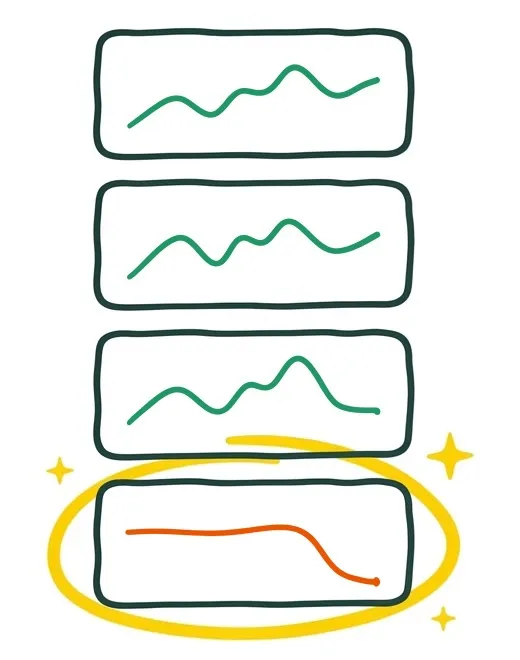
How does a backlog go unnoticed until year-end?
It makes no noise. It builds up journal by journal, and you find out when it is too late.
-
February
Every entry is posted. The client file is up to date.
-
May
Bookkeeping slips to 70%. From a distance, the file still looks on track.
-
August
Payroll and VAT are no longer posted. The suspense account passes €18,000.
-
At year-end
Everything has to be caught up in a rush. The accounts run late, the client grows impatient.
Which indicators should you track to steer a firm's production?
When you arrive in the morning, you see at a glance where each client file stands: what is up to date, what is slipping, and in which journal. Select an indicator to find it on the dashboard.
Weighted by entry volume and calculated across every journal. Many client files are kept up on purchases, sales and bank, never on payroll. The rate measures bookkeeping from A to Z: a little more time during the year, that much saved at year-end.
The slope rather than the snapshot: a file at 70% that is climbing tells a different story from a file at 70% that is falling.
By amount and by number of lines. €2,000 in suspense on one line is an incident; across eighty lines, the file has been left behind.
Expand a client file: every journal month by month, with the completion rate and the periodic rate.
Every client file links straight to the file in Pennylane: you spot the backlog in Sanso Radar and deal with it in Pennylane, in one click.
The same dashboard, narrowed to the files a bookkeeper keeps or a supervisor reviews.
Also included
- Comparison with the previous year, switchable file by file, to smooth out seasonality.
- A flag on the dashboard as soon as a file has had no entries for several months, before the backlog settles in.
- A free-text comment on each file, to note what the data does not say.
A counter tells you what is left to post. Sanso Radar tells you whether that is normal.
A number of documents waiting does not tell you whether a client file is behind.
Sanso Radar rebuilds each file's own rhythm, journal by journal and year on year, then compares it with actual activity.
-
25 invoices waiting
on a file that handles 200 a month
The file is up to date.
-
25 invoices waiting
on a file that handles 15 a month
The file is slipping.
Where do your client files stand today?
Fifteen minutes to see Sanso Radar in action and ask your questions.
How do you get started with Sanso Radar?
-
You connect Pennylane
You connect your Pennylane client files to Sanso Radar, read-only. Your entries stay untouched, and access stays in your hands.
-
You say who handles what
You record once who keeps and who supervises each client file, so the portfolio reads by bookkeeper.
-
You see where every file stands
Files that are slipping stand out at a glance. You check in with the bookkeeper as you go, well before year-end.
Sanso, the AI partner for accounting firms
Automating what takes time, steering what matters, offering your clients new services: Sanso builds, together with accounting firms, the AI tools that support how their profession is changing.
-
Sanso Match
Sanso Match reconciles the whole portfolio automatically.
Learn more -
Sanso Get Paid
Offer collections to your clients as a new service: Sanso Get Paid chases their unpaid invoices, supervised by your firm.
Learn more