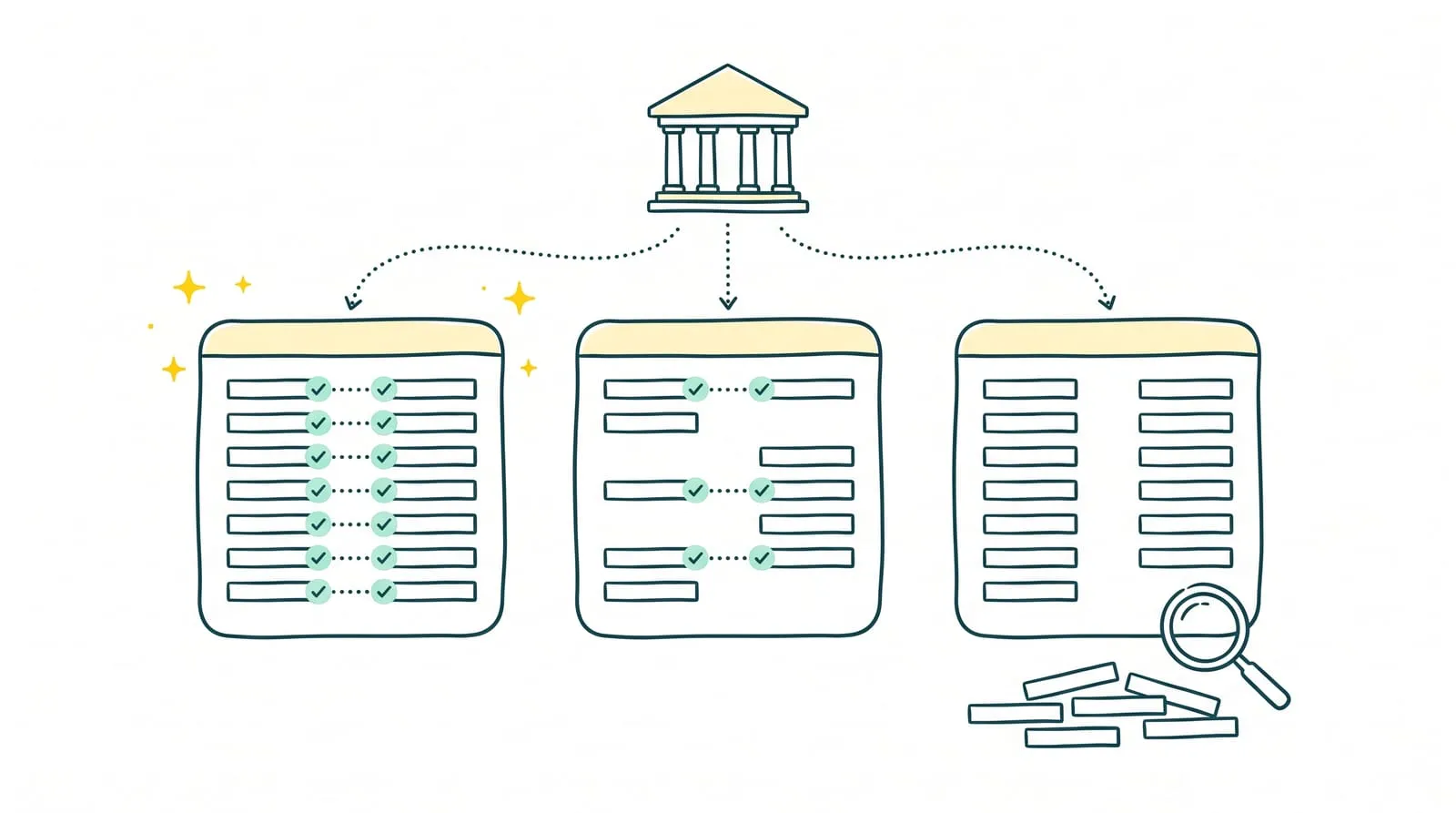
A payment received does not always correspond to a single invoice. A customer pays several installments in one transfer, a marketplace deducts its commissions, or a credit memo changes the expected amount. As transactions accumulate, identifying payments and explaining discrepancies takes time that finance teams could spend monitoring the business.
Bank reconciliation software matches each bank transaction with its accounting entry and invoice, and isolates operations requiring a check. However, solutions do not all cover the same scope: some suggest matches for approval, while solutions such as Sanso handle reconciliation in existing tools, including exception management.
Here are seven bank reconciliation solutions to compare based on transaction flows, accounting environment, and work remaining with the business.
Key takeaways
- Bank reconciliation software checks that each statement transaction corresponds to an accounting entry and supporting document, and flags discrepancies.
- Bank synchronization retrieves transactions. Reconciliation substantiates them individually with the corresponding invoice or document.
- A suitable solution should cover the business's actual flows, including partial payments, combined payments, and commissions.
- The choice also depends on remaining work: approving matches, finding supporting documents, and resolving exceptions.
- Sanso handles reconciliation in existing tools, including Pennylane, using AI agents and human intervention for cases requiring a check.
What does bank reconciliation software do?
Bank reconciliation software checks that each bank statement transaction corresponds to an accounting entry and a supporting document, such as a customer or supplier invoice. It imports transactions, suggests or completes matches, and isolates discrepancies so that bank balances and accounting records agree.
In the strict accounting sense, bank reconciliation compares the bank statement with the bank account in the general ledger (account 512 under the French chart of accounts) and explains differences between the two balances: a check issued but not yet cleared, unrecorded bank fees, or a duplicate entry. Modern software connected directly to the bank goes further by linking each transaction to the invoice or document that explains it.
What features does bank reconciliation software offer?
Depending on the solution, bank reconciliation software can:
- Retrieve transactions automatically through a bank connection or statement import.
- Suggest matches between transactions, entries, and invoices using amounts, dates, descriptions, and references.
- Automatically approve unambiguous matches when the amount and reference agree.
- Identify anomalies: unsupported transactions, missing entries, and duplicates.
- Handle complex cases: partial payments, combined payments for several invoices, and foreign exchange differences.
- Document discrepancies and produce a bank reconciliation statement.
With a synchronized bank account, agreement between the statement and the general ledger bank account is largely automatic. Time is spent on transactions whose amounts do not match any invoice. This is where solutions differ.
Bank reconciliation vs. invoice-to-payment matching: what is the difference?
Bank reconciliation starts with the bank: it substantiates each statement transaction. Invoice-to-payment matching, known as "lettrage" in French accounting, starts with accounts receivable or payable: it associates each invoice with its payment or payments to establish what remains collectible or payable. The two are linked because connecting a transaction to its invoice can directly support clearing that invoice. This comparison explains what each solution automates and which checks remain manual.
The 7 best bank reconciliation solutions in 2026
| Solution | Main scope | Work remaining with the business | Best suited to |
|---|---|---|---|
| Sanso | Payment and invoice reconciliation in existing tools, including exception handling | Providing necessary information or decisions when context is missing | Small and midsize businesses seeking to delegate reconciliation, particularly for complex flows |
| Pennylane | Transaction and invoice matching within a financial management and accounting platform | Handling transactions without suggestions, including differing amounts and partial or combined payments, or delegating that work to Sanso | Small and midsize businesses working with an accountant |
| Sage 50 | Checking bank entries and preparing a bank reconciliation statement | Reviewing transactions and explaining discrepancies | Small businesses maintaining their books in Sage 50 |
| EBP Comptabilité PRO | Bank reconciliation integrated with accounting | Checking matches and correcting identified differences | Small and midsize businesses using EBP |
| Cegid Loop | Bank reconciliation within a collaborative accounting environment | Dividing checks and discrepancy handling between the business and accounting firm | Businesses whose accounting firm uses Cegid Loop |
| Sellsy | Matching transactions with invoices, credit memos, or general ledger accounts | Approving suggestions and completing checks in the accounting environment | Businesses centralizing sales management in Sellsy |
| Evoliz | Matching bank transactions with sales and purchases | Reviewing unmatched transactions and ensuring accounting controls | Small businesses centralizing invoicing and financial tracking |
Information checked in October 2026 using each vendor's documentation: Sanso, Pennylane, Sage 50, EBP Comptabilité PRO, Cegid Loop, Sellsy, and Evoliz.
1. Sanso: delegate bank reconciliation to AI agents
⭐⭐⭐⭐⭐ (G2)
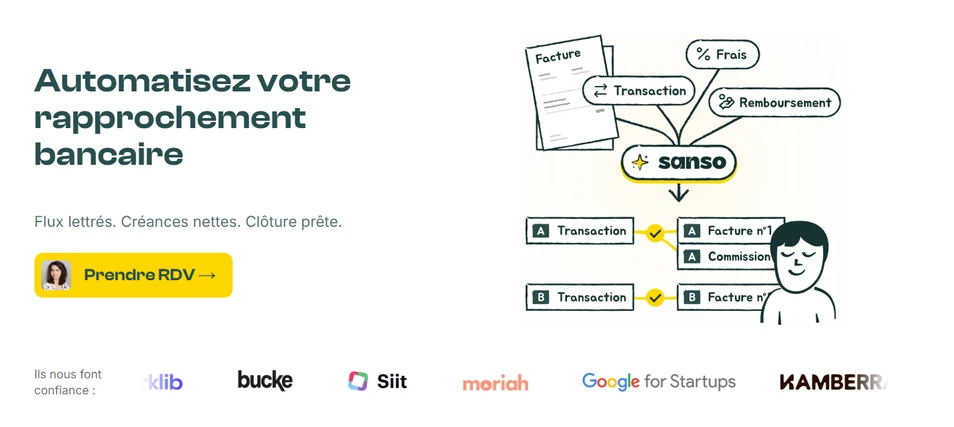
Sanso handles bank reconciliation directly in the business's tools. Its AI agents retrieve transaction flows, identify invoices corresponding to payments, and synchronize results with the accounting software. Human operators handle exceptions requiring additional analysis.
This bank reconciliation solution handles partial payments, transfers covering several invoices, multicurrency payments with foreign exchange differences, and marketplace payouts from Stripe, Back Market, Mirakl, MediaMarkt, Cdiscount, and Refurbed. These payouts can combine hundreds of orders, with commissions, returns, and credit memos to reconcile. Through its Pennylane integration, Sanso performs reconciliation directly in the business's account.
At Dipli, approximately 96% of operations are reconciled automatically: work that took two days is completed in a few minutes.
Main features
👉 Retrieval and analysis of bank transactions, invoices, and settlement files.
👉 Matching payments with invoices, including complex transaction flows.
👉 Invoice-to-payment matching and synchronization in compatible accounting tools.
👉 Discrepancy detection and human handling of exceptions.
Which businesses is it for?
Sanso suits small and midsize businesses that want to delegate reconciliation while retaining their tools. The service is particularly relevant when volumes rise or combined payments, commissions, and missing documents regularly take up the finance team's time.
Delegate your bank reconciliation
Sanso reconciles payments and invoices in your existing tools, with human intervention for exceptions.
Explore Sanso2. Pennylane: reconcile transactions within an accounting platform
⭐⭐⭐⭐ (G2)
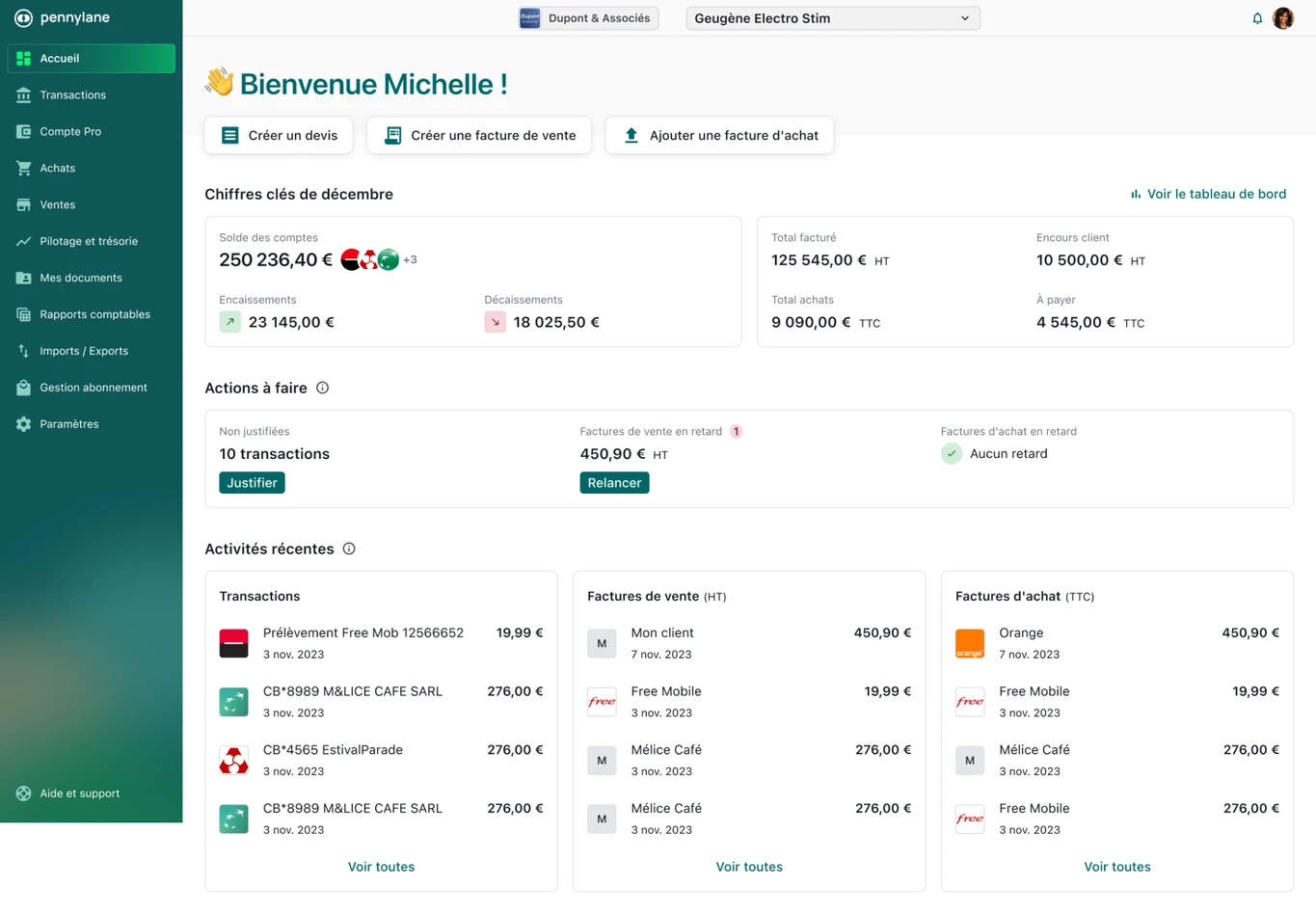
Pennylane combines the business's financial management and accounting production in one environment. Bank connections retrieve transactions, which can then be matched with purchase and sales invoices. When the amount matches exactly, Pennylane can automatically validate the suggested match. When amounts differ, matching remains manual. The team and its accountant work with the same data to track payments and identify missing documents.
The value of this bank reconciliation solution lies in centralization: transactions, supporting documents, and entries are accessible within the platform. A business can manage reconciliation with its accounting firm or delegate execution to Sanso directly in Pennylane.
Main features
👉 Bank account connections and transaction retrieval.
👉 Matching transactions with invoices and supporting documents.
👉 Customer and supplier payment tracking.
👉 Financial data sharing with the accountant.
Which businesses is it for?
Pennylane suits small and midsize businesses seeking to combine financial management and accounting. It is relevant when the business and accounting firm need shared access to transactions and documents to avoid exchanging files and searching for supporting evidence.
3. Sage 50: integrate reconciliation with accounting
⭐⭐⭐⭐ (G2)
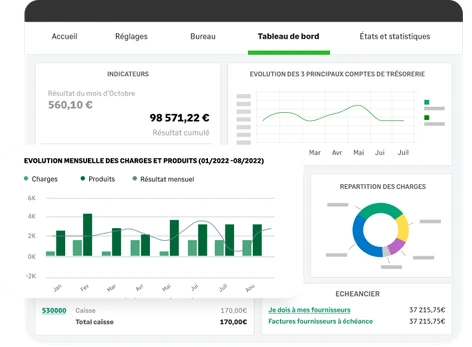
Sage 50 compares entries recorded in the general ledger bank account with transactions on the bank statement. Checking off entries helps identify matching transactions and isolate those explaining a difference between book and bank balances.
Reconciliation takes place in the software used for bookkeeping. This makes it easier to review entries and prepare a reconciliation statement, particularly when some transactions are recorded before appearing on the bank statement.
Main features
👉 Checking accounting entries against the bank statement.
👉 Tracking reconciled and unreconciled transactions.
👉 Identifying differences between balances.
👉 Preparing a bank reconciliation statement.
Which businesses is it for?
Sage 50 serves small businesses that maintain their books internally or with an accountant's support. It particularly suits businesses already using the software that want to integrate bank checks into their usual accounting work.
4. EBP Comptabilité PRO: manage reconciliation in accounting software
⭐⭐⭐⭐ (Trustpilot)
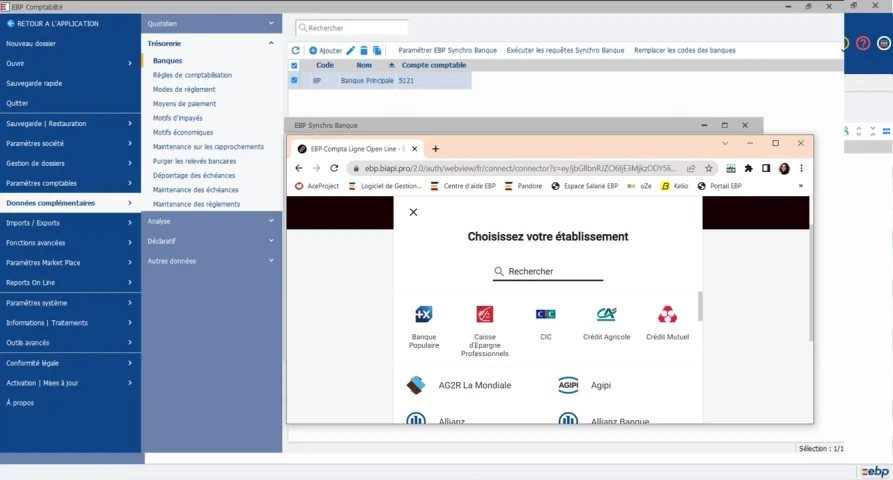
EBP Comptabilité PRO integrates bank reconciliation with bookkeeping. The software matches payment entries with statement transactions and identifies movements still requiring an explanation.
Import and automatic reconciliation functions simplify routine processing. The accounting team can then examine unchecked entries, investigate differences, and record necessary adjustments, such as bank charges missing from the books.
Main features
👉 Bank statement integration.
👉 Automatic reconciliation based on identified matches.
👉 Checking bank entries and unreconciled transactions.
👉 Preparing a bank reconciliation statement.
Which businesses is it for?
EBP Comptabilité PRO suits small and midsize businesses with someone responsible for bookkeeping. Its value lies in combining data entry, account reviews, and bank reconciliation in one environment, especially for existing EBP users.
5. Cegid Loop: work with an accounting firm
⭐⭐⭐⭐ (Lebonlogiciel)
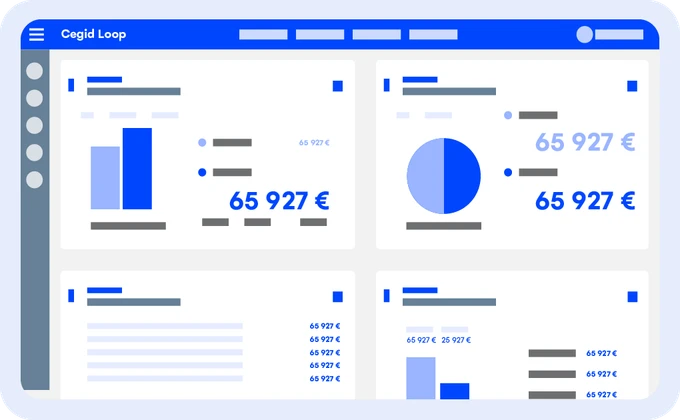
Cegid Loop is a collaborative accounting solution that includes bank reconciliation functions. It checks agreement between bank entries and statements and tracks transactions still requiring reconciliation.
Its value depends partly on the arrangement with the accounting firm. When the accountant uses Cegid Loop, the business can participate in the shared environment according to the agreed access rights and responsibilities.
Main features
👉 Bank reconciliation integrated with the accounting environment.
👉 Tracking checked and unchecked entries.
👉 Preparing a bank reconciliation statement.
👉 Collaboration between the business and accounting firm on accounting data.
Which businesses is it for?
Cegid Loop suits businesses whose accounting firm uses the solution. Its collaborative offering is relevant for organizations that want to participate in bookkeeping while retaining their accountant's support.
6. Sellsy: match transactions with invoices and credit memos
⭐⭐⭐⭐ (G2)

Sellsy matches bank transactions with invoices and credit memos recorded in the platform. A transaction can also be assigned to a general ledger account. Reconciliation suggestions make it easier to identify matches.
This function is particularly useful for payment tracking within the sales management tool. It links bank transactions to relevant documents, but that scope should be distinguished from a full reconciliation of bank balances against the business's accounts.
Main features
👉 Matching transactions with invoices and credit memos.
👉 Suggested matches between transactions and documents.
👉 Assigning transactions to general ledger accounts.
👉 Tracking payments associated with sales documents.
Which businesses is it for?
Sellsy suits small and midsize businesses already using the platform for invoicing and sales management. Reconciliation keeps payment tracking in the same environment as sales documents, with an arrangement needed for additional accounting checks.
7. Evoliz: automate matching against sales and purchases
⭐⭐⭐⭐ (Trustpilot)
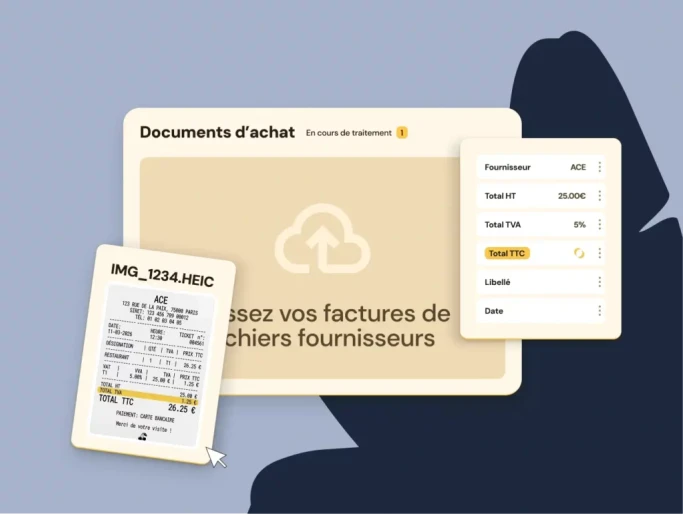
Evoliz combines invoicing, purchase tracking, and bank transaction management. Account connections retrieve transactions and match them with documents recorded in the software.
Automatic matching against sales and purchases helps identify paid invoices. Unmatched transactions still need review to locate the relevant document or explain the operation.
Main features
👉 Bank account synchronization.
👉 Multiple bank account management.
👉 Automatic matching of transactions with sales and purchases.
👉 Payment tracking updates after matching.
Which businesses is it for?
Evoliz suits small businesses seeking to combine invoicing, purchasing, and payment tracking. This bank reconciliation solution is relevant when the main objective is to associate incoming and outgoing payments with management documents, alongside accounting work.
How to choose a bank reconciliation solution: four points to check
The right choice depends on transaction flows, accounting environment, and available review time. A demonstration should let you assess these four points using representative transactions from your business.
1. Check compatibility with your banks and accounting software
The solution must retrieve account transactions and use the information necessary for reconciliation. Check connection methods, transaction retrieval frequency, and import options when a bank connection is insufficient.
Also examine exchanges with your accounting software: which data is transferred, in which direction, and with which approvals? If you use Pennylane, for example, Sanso lets you delegate reconciliation without moving the work to a new platform.
2. Test the payments that actually cause problems
Matching an invoice with a transfer for the same amount is not enough to assess exception handling. Test situations you regularly encounter:
- A partial payment followed by a second payment.
- A transfer covering several invoices.
- A credit memo deducted from the amount paid.
- A marketplace payout incorporating commissions and returns.
- A transaction whose reference does not immediately identify the customer.
- A foreign currency payment with an exchange difference.
💡 Sanso tip: prepare a sample of difficult transactions with supporting documents and expected results. During the demonstration, observe the matches found, but also the information requested and steps needed to resolve discrepancies. This helps estimate the work remaining after automation.
3. Identify who handles unreconciled transactions
You may need to approve a suggestion, find a missing invoice, or ask a customer for clarification. Before choosing a bank reconciliation solution, determine who will perform these tasks and how progress will be tracked.
You can divide them between your team, accounting firm, and a provider such as Sanso. Assign an owner to each exception and check that the history of reviews and decisions remains accessible.
4. Compare the total cost of reconciliation
Do not stop at the subscription price. Include setup, necessary connections or options, training, and time spent on transactions still requiring work.
Compare solutions against your current workload: how many hours do you spend on reconciliation each month? How many people are involved? How many transactions remain pending? This information helps determine whether time saved justifies the solution's cost.
💡 Sanso tip: during testing, track the number of transactions still unreconciled and the time needed to resolve them. A high automation rate can leave a handful of time-consuming exceptions. These two measures provide a more reliable estimate of the benefit for your team.
Which bank reconciliation software should you choose for your needs?
Your choice primarily depends on your current setup and the transactions taking up your time. Some solutions complement one another: accounting software centralizes data, while a service such as Sanso executes reconciliation.
| Your need | Solutions to consider | Why choose them? |
|---|---|---|
| Delegate reconciliation execution | Sanso | You delegate reconciliation in existing tools, with human intervention for exceptions. |
| Reconcile combined, partial, or marketplace payments | Sanso | The service handles complex matches, including payouts incorporating commissions, returns, and credit memos. |
| Centralize financial management and accounting | Pennylane, with Sanso if you want to delegate reconciliation | Pennylane combines financial and accounting data; Sanso can perform reconciliation directly in your account. |
| Keep your accounting environment | Sage 50 or EBP Comptabilité PRO if already used; Sanso depending on available integrations | You use your software's functions or delegate work to a service compatible with your environment. |
| Participate in accounting work with your firm | Cegid Loop or Pennylane, depending on your accountant's tool | You work in a shared environment with responsibilities agreed with the accounting firm. |
| Track invoice payments in your management tool | Sellsy or Evoliz | You associate bank transactions with sales documents to identify paid invoices. |