Small Business Invoicing: A Guide to Billing and Tracking Payments
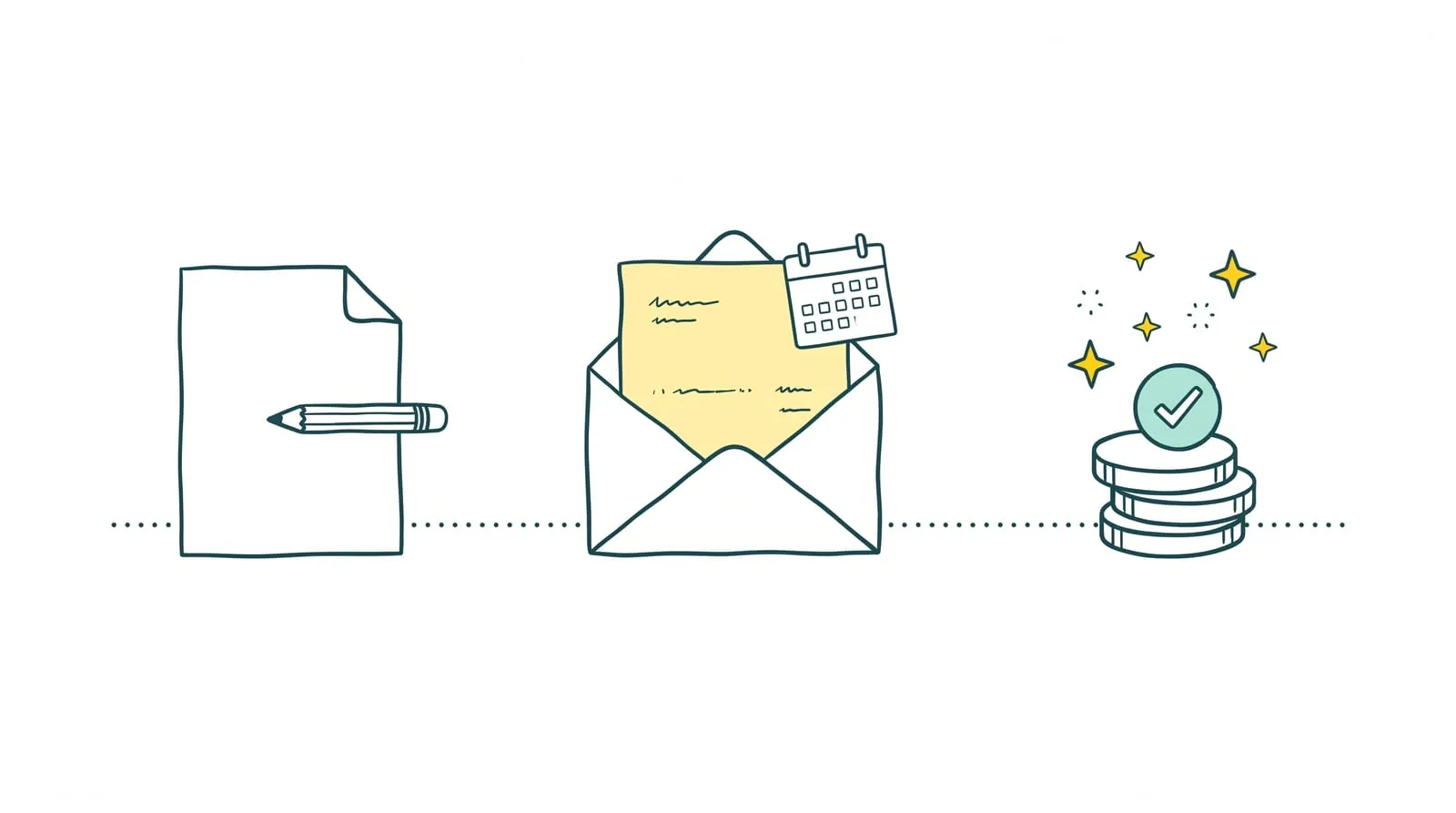
Invoicing for a very small business covers the operations needed to request payment for a product sold or a service delivered: preparing the invoice, sending it to the customer, and tracking payment. It also involves retaining documents and sharing relevant information with accounting.
In a small business, these tasks often fall to the owner or someone already responsible for administration. Finding a quote, deducting a deposit, uploading an invoice to a customer's portal: the steps add up, and a forgotten or incomplete invoice can delay payment.
Well-organized invoicing helps you see what has been billed, what needs to be paid, and what requires action. Which rules apply? How can you avoid omissions and track payments without spending your evenings on it? This guide provides practical steps suited to a very small business.
Key takeaways
- Small business invoicing extends through payment tracking: creating an invoice is not enough; you also need to deliver it and check payment.
- Complete information from the start prevents bottlenecks: customer details, services delivered, agreed pricing, and payment terms.
- Each invoice must meet the rules applicable to your situation, particularly invoice details, numbering, and VAT.
- Regular tracking helps identify omissions and late payments, then follow up with the right information.
- Simplify invoicing with Sanso: a service covering the agreed scope from start to finish, with AI processing most operations and Sanso's team handling exceptions.
What Does Invoicing Involve for a Very Small Business?
Invoicing means issuing invoices for business sales, delivering them to customers, and tracking payment. It keeps a record of amounts billed, money received, and payments still outstanding.
✅ In practice, it means answering three questions: what do we need to invoice, what have we already invoiced, and what have we actually collected?
1. Tracking Continues After the Invoice Is Sent
A sent invoice can still get stuck: the wrong recipient, a missing purchase order reference, a disputed amount, or a customer simply forgetting. Someone needs to identify the problem and follow through.
Tracking includes:
👉 Checking delivery to the right contact.
👉 Monitoring due dates and payments received.
👉 Handling questions or disputes.
👉 Following up when payment is late.
Bank reconciliation helps match incoming payments to the relevant invoices. This prevents reminders to customers who have already paid or marking an invoice as settled when only a deposit has been received.
2. Quotes, Invoices, Deposits, and Credit Memos: What Is Each Document For?
These documents appear at different stages of the business relationship:
- A quote presents proposed services or products, prices, and terms before the sale.
- An invoice details the sale or service and the amount billed to the customer.
- A deposit invoice covers part of the price billed before final settlement under the agreed terms.
- A credit memo reduces or cancels some or all of a previously invoiced amount.
For example, a small service business may issue a quote, request a deposit, then invoice the balance while accounting for that deposit. Each document should be easy to retrieve so you can understand what the customer still owes.
3. Who Should Handle Invoicing in a Very Small Business?
The owner, an administrator, or a provider can handle invoicing. What matters is identifying who prepares invoices, who confirms what should be billed, and who tracks payments.
Your accountant can help with applicable rules, but check the engagement scope: issuing customer invoices and sending payment reminders are not necessarily included. If these tasks take too much time, consider outsourcing invoicing while specifying which approvals you want to retain.
What Are the Invoicing Requirements for a Very Small Business?
Your invoice template should reflect your business, VAT regime, and customers. Once these parameters have been checked, you can reuse the template while reviewing the details of each sale. The requirements below concern businesses operating in France.
1. When Must You Issue an Invoice?
- Invoices are mandatory for sales of goods and services between businesses. An accepted quote or transfer confirmation is not a substitute.
For consumers, rules depend on the transaction and sector. For services, a receipt detailing the service is required for amounts of €25 including tax or more, and below that threshold if the customer requests one. Certain activities have specific requirements.
Identify the rules applicable to your activity before configuring your invoicing tool.
Which Information Should Your Invoices Include?
Here are the main items to include. Some details depend on your status, the customer, or the nature of the transaction.
| Item or party | Information to provide |
|---|---|
| Invoice identification | Issue date and unique number |
| Your business | Identity, address, and legal details required for your business status |
| Your customer | Name or company name, address, and billing address if different |
| Sale or service | Date, precise description, quantities, and unit prices excluding tax |
| Amounts | Any discounts, applicable VAT, and totals excluding and including tax |
| Payment | Due date and early payment discount terms; for business customers, late payment penalties and the fixed €40 recovery charge |
| Special details | Where applicable: VAT exemption, reverse charge, mandatory professional insurance, or reference to a purchase order previously issued by the buyer |
Avoid vague descriptions. “Maintenance visit on October 12 at the Lyon site” helps the customer understand and approve the expense more easily than “miscellaneous services.”
2. How Should You Number and Date Invoices?
Each invoice must have a unique number in a continuous chronological sequence. You can use a structure such as FAC-2026-001, followed by FAC-2026-002, provided you maintain a consistent approach.
The issue date is the day you create the invoice. Also include the delivery or service completion date when it differs.
Never reuse an assigned number for a new sale.
3. How Should You Handle VAT on Invoices?
Treatment depends on your VAT regime and the transaction being invoiced. If you charge VAT, the corresponding rates and amounts must appear.
If you qualify for France's basic VAT exemption, you do not charge VAT on transactions covered by that regime. Your invoices must include the statement “TVA non applicable, art. 293 B du CGI” (VAT not applicable under Article 293 B of the French General Tax Code). The small size of your business alone does not determine your VAT regime.
4. How Long Should You Keep Invoices?
Keep customer and supplier invoices for ten years from the close of the relevant fiscal year. They must remain readable, accessible, and easy to find.
Establish a backup procedure and check how to retrieve documents if you change tools. A well-organized filing system also supports accounting preparation and communication with your firm.
💡 Sanso tip: Have your accountant check your invoice template before you use it, then again when your tax regime or activity changes. This prevents the same omission from appearing on every invoice.
How to Organize Small Business Invoicing in 6 Steps
A simple arrangement should let you quickly find sales to invoice, invoices sent, and payments expected.
✅ Assign an owner and a time to act at each stage. This prevents invoicing from depending on whatever time is left at month-end.
Step 1: Gather Information Before Invoicing
As soon as the customer agrees, gather the information needed to prepare the invoice:
✔️ Details of the business or individual being invoiced.
✔️ Products or services and the agreed price.
✔️ Deposits already invoiced.
✔️ Payment terms.
✔️ The contact who should receive the invoice.
✔️ The purchase order reference or portal to use, if required by the customer.
Ask for invoicing instructions before completing the service. Discovering after sending that a purchase order number is required can delay the customer's processing.
Step 2: Plan When Each Sale Will Be Invoiced
Link each sale to an event that triggers invoice preparation: delivery, service completion, or a recurring billing date, under applicable rules and agreed terms.
For a service business, a shared list may be enough to track completed services and those still to invoice. For recurring contracts, schedule billing dates and check pricing or scope changes before issuance.
For example, a maintenance business can ask the technician to confirm that a visit is complete. The administrator then has the information needed to prepare the invoice.
Step 3: Check the Invoice Before Sending
Take a moment to check information that could lead to rejection or a dispute:
👉 Recipient: is the invoice addressed to the right person or entity?
👉 Service: does the description match the work completed?
👉 Amounts: are prices, quantities, discounts, and VAT correct?
👉 Deposits: have they been reflected in the balance?
👉 Due date: does it match the agreed terms?
For an unusual service or large amount, have the person familiar with the case confirm the details.
Step 4: Deliver the Invoice to the Right Place
Use the channel designated for the customer and transaction: an electronic invoicing platform where applicable, a customer portal, or another authorized delivery method.
- Keep proof of sending or submission and check any rejection messages. An invoice created in your software has not necessarily reached the person responsible for paying it.
If the customer uses a portal, verify that submission is complete and the invoice has been accepted into its processing workflow.
Step 5: Track Due Dates and Identify Payments
Regularly review outstanding invoices and incoming payments. A very small business can start with a weekly check, adapted to transaction volumes and cash needs.
Distinguish the following situations:
- Invoice sent but not yet due.
- Invoice paid in full.
- Invoice partially paid.
- Payment received but not yet identified.
- Invoice overdue or disputed.
Bank reconciliation matches receipts with the relevant invoices. This is particularly useful when a customer pays several invoices through one transfer.
Step 6: Follow Up on Late Payments and Prepare Accounting Handoffs
Before following up, check that payment has not already arrived and no dispute is underway. Then send a precise message with the invoice number, outstanding amount, and overdue date.
Record the response: a payment promise, document request, or dispute. Each exchange should lead to a next action and follow-up date. If overdue payments accumulate, a managed collection service can relieve your team.
At the same time, make invoices, credit memos, and supporting documents available to your accounting firm under the agreed schedule. This avoids reconstructing files when returns or year-end accounts are due.
💡 Sanso tip: Reserve a regular time slot to check sales to invoice, delivery rejections, and outstanding payments. This helps identify bottlenecks before they turn into collection delays.
How Do You Correct an Invoice Error?
An incorrect amount, canceled service, or forgotten deposit may require a correction after issuance.
Keep a record of the original invoice and its correction so your customer and accountant can understand what changed.
1. Correct an Invoice That Has Already Been Issued
If the invoice is still a draft, correct it before issuance. If it has already been issued, do not delete it to reuse its number.
Depending on the situation, the correction may require a corrective invoice referring to the original, or a credit memo followed by a new invoice if needed. Ask your accounting firm to confirm the appropriate procedure, particularly if VAT is affected.
Also notify the customer and send corrected documents through the appropriate channel.
2. Use a Credit Memo to Reduce or Cancel an Invoiced Amount
A credit memo reduces or cancels some or all of an invoice. It may relate to:
👉 A returned product.
👉 A service canceled after invoicing.
👉 A discount granted after issuance.
👉 An amount billed in excess.
The credit memo must identify the relevant invoice and corrected amount. If a new invoice is necessary, it receives its own number in the designated sequence.
For example, you invoiced two service visits when only one was completed → The correction must show the reduction in the amount due while preserving document history.
3. Update Expected Payment and Customer Tracking
The correction must also appear in your payment tracking. Otherwise, your team may remind the customer about an amount no longer owed.
Distinguish two situations:
- The customer has not paid yet: update the expected balance and any reminders.
- The customer has already paid: agree on handling the overpayment through a refund or a credit toward a future invoice.
Finally, send corrective documents to your accounting team or firm. If you outsource invoicing, specify who prepares corrections and who approves them before issuance.
Electronic Invoicing: What Changes for Very Small Businesses?
Electronic invoicing changes how certain invoices are sent and received in France.
→ A simple PDF emailed to a customer does not meet the new requirements. Invoices within scope must pass through an approved platform, directly or through compatible software.
Is Your Business Affected?
The reform particularly concerns transactions between businesses established in France and subject to VAT. Businesses under the basic VAT exemption are also affected, even when they do not charge customers VAT.
Consumer sales and certain international transactions follow a different arrangement: reporting data to the tax authority, known as “e-reporting.”
Exclusions exist depending on transaction type. Review your actual sales with your accountant: business or consumer customers, in France or abroad.
Which Dates Matter?
For a very small business within scope, distinguish two deadlines:
✔️ Since September 1, 2026: mandatory receipt. Your business must be able to receive electronic invoices from suppliers required to issue them.
✔️ From September 1, 2027: mandatory issuance. Small and midsize businesses and microbusinesses must issue electronic invoices for transactions within scope. Data reporting requirements also apply according to their situation.
You may therefore need a solution for receiving invoices before you are required to issue them.
Do You Need to Replace Your Invoicing Software?
Not necessarily. Your tool may connect to an approved platform or offer the service itself. Ask the publisher to explain:
👉 How invoices will be received and sent.
👉 Which approved platform will be used.
👉 Which features are included in your subscription.
👉 How documents and statuses will be accessible to your accountant.
Also check who will follow up on rejected or incomplete invoices. Changing the channel does not eliminate amount discrepancies, missing references, or customer disputes.
How Can You Prepare Your Business in Practice?
Start by checking your receipt setup, then prepare issuance with your software provider and accountant.
Update customer records: business identity, SIREN identification number, addresses, and billing information. Then test an invoice's journey and designate someone to monitor statuses and rejections.
💡 Sanso tip: Use this transition to clarify invoice tracking: who checks receipt, who corrects information, and who steps in when payment is late? A platform helps documents circulate, but your organization still needs to handle the next steps.
How to Choose an Invoicing Tool for a Very Small Business
The right tool should match how you sell and track payments. Before comparing subscriptions, list routine needs and the difficulties you want to resolve. For specific solutions, see our comparison of 9 invoicing tools for very small businesses.
1. Check Features That Matter to Your Activity
A tradesperson requesting deposits has different needs from a service business billing monthly subscriptions. Check whether you can:
→ Turn a quote into an invoice without copying information.
→ Manage deposits and final invoices while keeping documents linked.
→ Schedule recurring invoices if needed for your activity.
→ Issue credit memos and find the relevant invoices.
→ Track due dates and partial payments.
→ Share documents with your accountant.
Test these features on a real sale, from quote to payment. You will quickly see whether the tool simplifies work or forces you to keep separate tracking.
2. Check Compatibility With Your Organization
Ask your accounting firm how it will retrieve invoices and data. A direct connection can simplify sharing; exports remain useful provided they contain the right information and supporting documents.
Also check the planned electronic invoicing setup: approved platform, invoice receipt, issuance, and status tracking. If several people are involved, make sure you can assign access and permissions.
👉 Retain the ability to retrieve your documents and data if you decide to change solutions.
3. Compare Total Cost and Management Time
Beyond the advertised price, examine plan limits: user count, included volumes, paid features, and implementation fees. Ask what happens as your activity grows.
Above all, assess what will remain to do each week:
- Find or import documents.
- Check information and correct errors.
- Identify payments.
- Handle rejections and disputes.
- Track responses to reminders.
Software can speed up these tasks, but someone must still be assigned to perform them. If your goal is to remove this workload from your team, consider outsourcing invoicing alongside your tools.
Simplify Your Small Business Invoicing With Sanso
Preparing invoices, checking incoming payments, and following up with customers takes time every week. Sanso handles the financial operations you assign from start to finish, within a scope defined with your business.
✨ Depending on the scope, AI agents process between 80% and 99% of operations; Sanso's team handles exceptions and the communication needed to move cases forward.
Depending on your needs, Sanso handles:
- Customer invoice preparation and tracking, based on the details and terms you approve.
- Supplier invoice collection, retrieving documents needed for processing.
- Bank reconciliation, identifying payments and tracking amounts still expected.
- Overdue payment collection, with reminders and tracking of customer responses.
Simplify your business invoicing with Sanso
Sanso handles invoice preparation, payment tracking, and overdue payment follow-up within the agreed scope.
Talk to SansoConclusion
Well-organized invoicing helps a very small business avoid omissions and track money actually collected. With reliable information, clear responsibilities, and regular due-date checks, you identify bottlenecks faster and spend less time searching for records and correcting errors.