Sanso + Axonaut Integration: CRM and Management in Sync
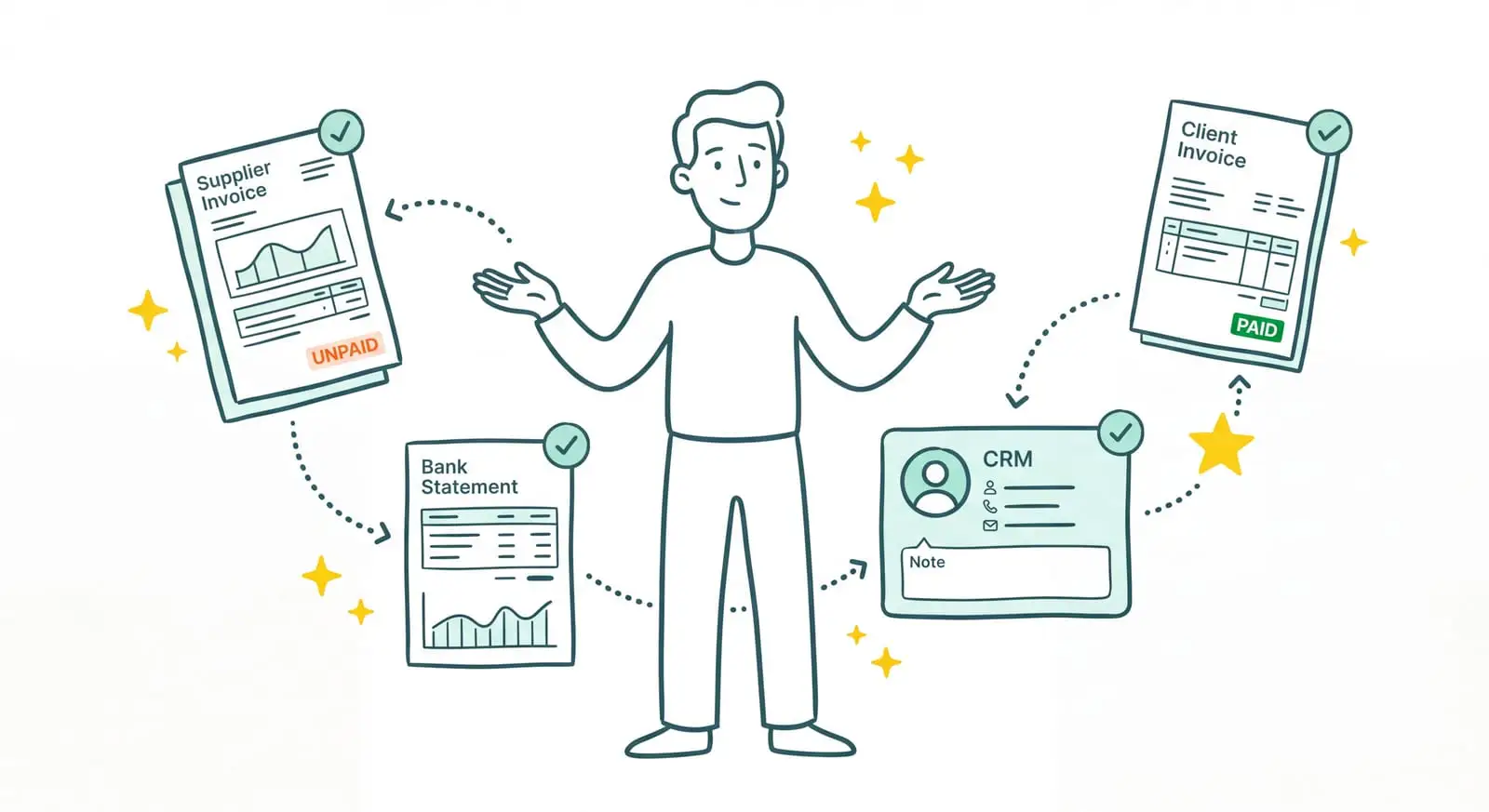
Axonaut Combines Your CRM, Quotes, and Accounting. But You Still Have to Feed It Everything
Axonaut has become the all-in-one tool for quite a few French small businesses. CRM, quotes and invoices, sales management, cash flow tracking, accounting, support tickets, expense reports: your entire business management fits in a single interface, at a reasonable price. If you've centralized everything in there, you made a solid choice. Still, a well-designed Axonaut integration can make it even more useful as your business grows.
Tired of feeding Axonaut by hand?
Sanso is the service that collects your invoices and does all the work inside Axonaut, so your management stays up to date without a single keystroke.
Book a CallBut Axonaut is still a tool. As complete as it is, it waits to be fed. Someone still has to go get the supplier invoices scattered across inboxes and vendor portals, file them in the right place, and weed out duplicates. Someone has to create client invoices at the right time, follow up with customers who don't pay, and step in as soon as a client disputes a charge. Your sales context does live in Axonaut's CRM, but it's still up to you to do something with it. The tool doesn't do that work for you. It waits for it.
I'm Amalia Bercot, co-founder and CEO of Sanso. That missing link is exactly what we take care of. Sanso is an AI-powered finance operations service: our Axonaut integration handles all the feeding, so your CRM, your invoices, and your accounting stay up to date without you keying in a thing.
What Sanso Adds to Your Axonaut Integration
Sanso isn't yet another piece of software to learn, and it doesn't replace Axonaut: it's a service that works inside Axonaut, in your place. The AI is the engine that gets through the work. It collects invoices, reads them, understands them, categorizes them, creates your client invoices, follows up on unpaid ones, and reconciles your bank. You no longer have anything to key in.
The distinction is fairly simple. Axonaut provides the tool, the CRM, and the management framework; Sanso does the work inside it. Classic automation imports any attachment as if it were an invoice, without even reading it. Sanso's AI actually understands each document before sending it into Axonaut. And where a tool sends one automated reminder and stops, Sanso handles collections end to end, disputes included.
This is where Axonaut's CRM really pays off. Since your sales context already lives there (clients, quotes, the terms of every deal), the AI uses it to invoice accurately and collect intelligently: it knows which quote hasn't been fully invoiced, and it goes and checks the right information when a client disputes. In practice, Sanso connects to your Axonaut via API based on your needs, then works directly inside it. Everything the AI processes shows up where you already look every day. Nothing is hidden, and there's no extra tool to keep an eye on.
How Sanso and Axonaut Work Together
Automatic Supplier Invoice Capture
Your supplier invoices come in from all over: by email, on portals (OpenAI, Amazon, energy providers, SaaS tools), sometimes even through WhatsApp. Sanso's AI goes and gets them on all of these channels. It plugs into your inbox, reads every message and every attachment, sorts real invoices from quotes and greeting cards, weeds out duplicates, then sends the validated invoices into Axonaut. And when a portal doesn't offer email delivery, an AI agent logs in, navigates to the billing section, and downloads the right documents. On your end, not a single portal left to open.
Reading and Categorization Without Data Entry
Once an invoice enters the flow, the AI reads it and pulls out the key information: amount, VAT, supplier, date, purchase order number, line items. Then it categorizes the invoice based on context, not rigid rules. It spots that an invoice covers several projects and splits the amounts at the right percentages, understands that two different labels point to the same thing, and applies your filing logic. The result: your supporting documents end up organized and usable in Axonaut, without a single keystroke on your part.
Invoice Validation Before Payment
Before a supplier invoice gets approved, the AI checks three things: that it isn't a duplicate, that the amount matches the quote or purchase order, and that the VAT adds up. The slightest anomaly gets flagged before it turns into an overpayment. And if you want, you keep control over final payment approval.
Still keying in every invoice?
Sanso's AI reads, understands, and categorizes your invoices before sending them into Axonaut, with no re-keying on your part.
Book a CallClient Invoice Creation and Sending
In small businesses, around 5% of invoices simply never get created: the work was done, but nobody thought to bill for it. Sanso is plugged into your tools (Axonaut's CRM, your project management, your email) and knows when a project is wrapped up and ready to invoice. The AI prepares the invoice in Axonaut, checks it against the quote to make sure nothing was left out, and sends it. And if you'd rather approve before it goes out, you can.
End-to-End Collections on Unpaid Invoices
An automated reminder knows how to send an email. What it can't do is react when the client replies "that's not the right amount" or "you billed the wrong entity." Sanso can. Collections are personalized and multichannel: email, SMS, phone. The moment a client disputes, the AI checks the quote in Axonaut's CRM; if the wrong entity was billed, it reissues the invoice and tracks the payment until the money lands. Every case gets seen through to the end, not just nudged once for form's sake.
Real-Time Bank Reconciliation
For every bank transaction, Sanso's AI finds the matching purchase or sales invoice and updates the status in Axonaut. It even handles the cases classic auto-reconciliation gives up on: currency differences, transaction labels that don't match the invoice wording, timing gaps of a few days. At any moment, you know who has paid and what's still owed, without ticking off your statements line by line.
Who This Axonaut Integration Is For
- Growing small businesses that have centralized their management in Axonaut and watch finance admin overflow as activity picks up.
- Business owners who spend their evenings on invoicing when they'd rather keep that time for their clients or their craft.
- Consulting agencies and service firms whose invoicing changes from one month to the next and who want to keep Axonaut without chasing invoices and unpaid bills.
- Companies hesitant to hire a dedicated finance person: the volume doesn't justify a full-time role, but the admin piles up anyway.
- Small teams where the same person sells the project and then has to chase the client for payment, at the risk of damaging the relationship.
What Changes for You
- Before: you make the rounds of supplier portals every week to retrieve invoices. After: the AI collects them on its own and files them in Axonaut.
- Before: you key in and file every receipt by hand. After: the AI reads, understands, and categorizes, with no data entry.
- Before: client invoices fall through the cracks. After: the AI spots billable work in your CRM and issues invoices at the right time.
- Before: payment reminders stop dead as soon as the client disputes. After: Sanso takes the dispute in hand until the money lands.
- Before: you tick off your bank statement line by line. After: reconciliation happens in real time, continuously.
Connect Axonaut to Sanso
You keep Axonaut. You keep your CRM, your sales management, and your habits. Sanso simply adds the engine that powers through all the work inside: the AI captures your invoices, categorizes them, issues your client invoices, collects your unpaid invoices, and reconciles your bank, without a single keystroke on your part. Onboarding takes a few days, and disrupts nothing.
Book a call to see concretely how Sanso's Axonaut integration keeps your CRM, your invoices, and your accounting up to date, continuously, without you having to think about it.