Sanso + Google Workspace: Capture Your Invoices from Gmail
Google Workspace Runs Your Business. But Your Invoices Sit Idle in Gmail
Gmail, Google Drive, Google Sheets: for thousands of French small businesses, Google Workspace has become the day-to-day headquarters. It's where emails land, where documents live, where tracking spreadsheets get built. If you picked it, you probably chose well: it's smooth, shared, and accessible from anywhere. And a well-designed Google Workspace integration can make it even more useful.
How many hours do you spend sorting invoices in Gmail?
Sanso plugs its AI into your Gmail and does that sorting for you: only real invoices get kept and routed to your accounting.
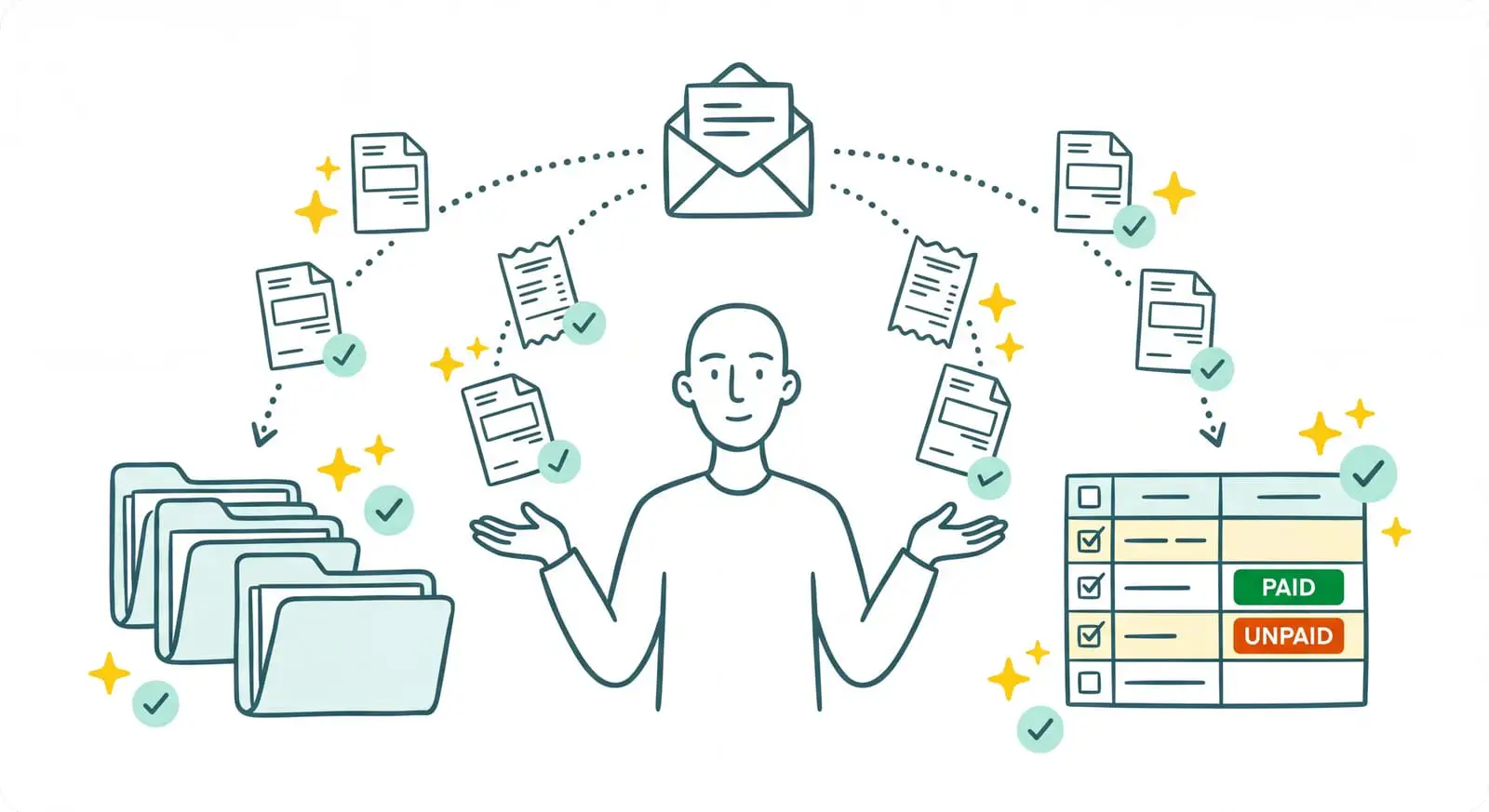
Book a CallThe catch is that Google Workspace was never designed to run your finance operations. Your supplier invoices land as attachments, buried between newsletters, quotes, team threads, and January's greeting card. And someone has to open every email, spot the real invoices, download them, rename them, file them in the right place in Drive, then re-key the amounts into Google Sheets by hand. That sorting job, Gmail won't do for you. It waits, patiently.
I'm Amalia Bercot, co-founder and CEO of Sanso. That collection and data-entry work is exactly what we take care of. Sanso is an AI-powered financial management service: the Google Workspace integration we operate fetches your invoices from Gmail, understands them, files them in Drive, and feeds your Google Sheets, without you typing a thing.
What Sanso Adds to Your Google Workspace
Sanso isn't yet another tool to learn, and it doesn't replace Google Workspace: it's a service that works inside your Gmail, your Drive, and your Sheets, on your behalf. The AI is the engine that plows through the work. It reads your emails, pulls out the real invoices, understands what's going on, files documents in the right place, and fills in your spreadsheets. Your team, meanwhile, no longer has anything to key in.
The distinction is fairly simple. Google Workspace is the inbox and the Drive. Sanso does the work inside them. Where a classic "email-to-invoice" automation swallows any attachment without reading it, Sanso's AI genuinely understands each document before sending it on to your accounting tool. Everything runs through a secure OAuth Gmail connection, and Sanso is CASA (Cloud Application Security Assessment) certified by Google, the security standard that governs access to Google Workspace data.
How Sanso and Google Workspace Work Together
Automatic Invoice Capture from Gmail
Your supplier invoices flow into Gmail continuously, mixed in with everything else. Sanso's AI reads every incoming email and every attachment, sorting real invoices from quotes, contracts, or greeting cards, and discarding duplicates along the way. It draws on the context of the message (the sender, the subject line, the body of the email) to refine the categorization and decide what to do. Only real Gmail invoices are kept, then sent on to your accounting tool (Pennylane, Tiime, Axonaut, Xero). You connect once and for all, through the "Sign in with Google" button.
Understanding the Context of Every Email
An email is more than an attachment. The sender, the subject line, and the body of the message often carry the information that changes everything about how to handle the invoice: which project to link it to, whether it's a renewal, whether a reply is expected. Sanso's AI reads all of it. Where a classic integration just vacuums up the attached file, Sanso understands the message around it, and that's what lets it categorize correctly and know what to do with each document.
Automatic Filing in Google Drive
Once the invoice has been read, the AI files it in Google Drive following your own naming conventions. The file's name and location come from the content of the document itself: document type, supplier, project, period. No more financial documents piling up in a "Downloads" folder: they're filed in the right place, with the right name, ready to surface when you go looking for them. That's especially valuable for real estate agencies and property managers, who archive hundreds of documents a month with a folder structure specific to each case.
Download, rename, file, re-key: all of that by hand?
Sanso's AI files your documents in Drive and fills your Google Sheets on its own, so your team no longer types in anything.
Book a CallAutomatic Data Entry into Your Google Sheets
Plenty of teams still run their operations on Excel, and there's nothing shameful about that. Sanso automatically creates and fills your Google Sheets from the data extracted from documents and emails: amount, VAT, supplier, date, invoice line items. Those spreadsheets can be linked directly to the source documents, and they stay yours: you add your comments, your columns, your annotations. The AI does the data entry, you keep control of the spreadsheet.
From Gmail to Your Accounting, No Re-Keying
Capture in Gmail is only the first link in the chain. Once the invoice has been read and understood, the AI categorizes it according to your analytical accounting, validates it before payment (duplicate checks, consistency with the quote, VAT verification), then routes it to your accounting tool. The same data then feeds bank reconciliation. You start with an incoming email, you end up with a clean entry in your books, and you haven't re-keyed anything in between.
Who This Google Workspace Integration Is For
- Owners of SMBs with 5 to 50 employees who run their business on Google Workspace and lose time, or make someone else lose it, sorting invoices in Gmail.
- Office managers and executive assistants who spend part of their days downloading attachments, renaming them, and filing them in Drive.
- Real estate agencies and property managers who collect hundreds of financial documents a month and have to archive them in Drive with strict naming conventions.
- Teams still running things on Excel who re-key amounts from their emails into Google Sheets by hand.
- Companies that care about data security and want a controlled Gmail connection, GDPR-compliant and CASA-certified by Google.
What Changes for You
- Before: You open every email to spot the invoices. After: The AI reads your Gmail and keeps only the real invoices.
- Before: You download and rename every attachment by hand. After: Sanso files it in Drive automatically, in the right place.
- Before: You re-key the amounts into Google Sheets. After: The AI fills the spreadsheet from the documents.
- Before: A forwarded greeting card ends up imported as an invoice. After: The AI understands the difference and sets it aside.
- Before: Your invoices sit in Gmail until the close. After: They land in your books as they come in.
Connecting Google Workspace to Sanso
You keep Gmail, Drive, and Sheets. You keep your habits. All Sanso adds is the engine that plows through the work inside them: the AI captures your Gmail invoices, files them in Drive, fills your Google Sheets, and feeds your accounting, with no data entry on your side. The connection goes through Google, it's CASA-certified, and onboarding takes a few days without upending anything.
Book a call to see how Sanso's Google Workspace integration can get your invoices out of Gmail and keep your finance operations up to date, continuously, without you having to think about it.